Whats New
Keep up with the latest releases, improvements, and fixes.
The brands who unlock your media kit are now a list you can email
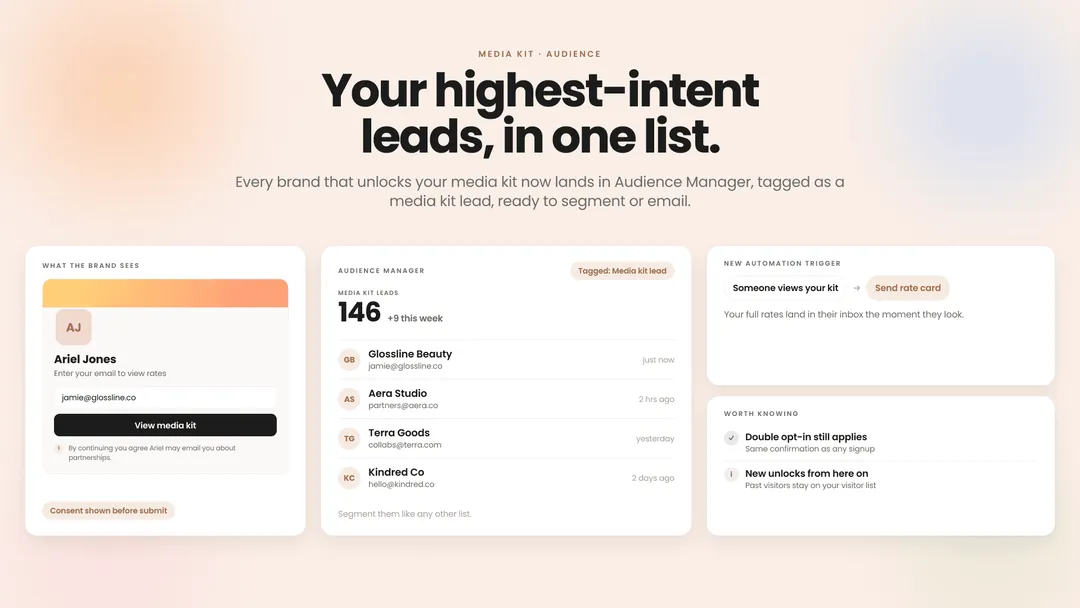
A brand entering their email to see your rates is about the highest-intent lead you'll ever get. Until now, that address sat on your media kit's visitor list and nowhere else: you could see who came by, but you couldn't reach them from Beacons. Now every unlock adds the brand to Audience Manager, tagged as a media kit lead, so you can segment them, email them, or set up an automation that sends your full rate card the moment someone views your kit. The gate shows a short consent line before brands submit, and if you use double opt-in, these addresses go through the same confirmation as any other signup. This applies to new unlocks from here on; past visitors stay on your visitor list.
Set up your media kit gateThe opening DM is yours to turn off
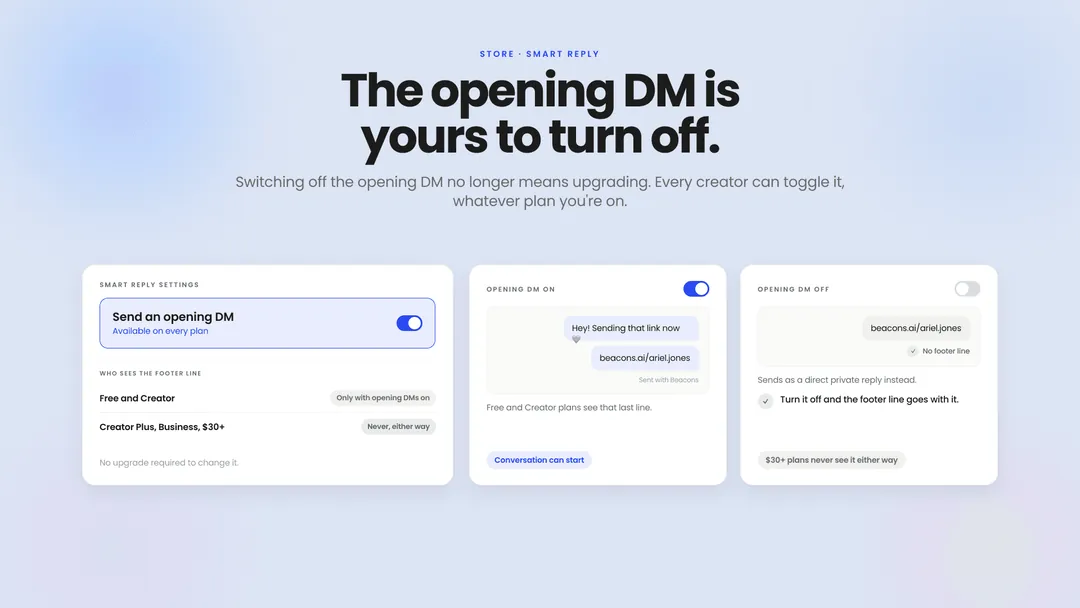
Smart Reply sends a short opening DM before your real message, which is what lets the conversation happen in the first place. On Free and Creator plans that step was locked on, and switching it off meant upgrading. Now every creator can toggle it, whatever plan you're on. Worth knowing the tradeoff: with opening DMs on, Free and Creator plans get a small "Sent with Beacons" line after your message. Turn opening DMs off and it goes, and your automation sends as a direct private reply instead. Creator Plus, Business and other $30+ plans never see it either way.
Check your settingsYour Smart Reply DM keeps working after the link
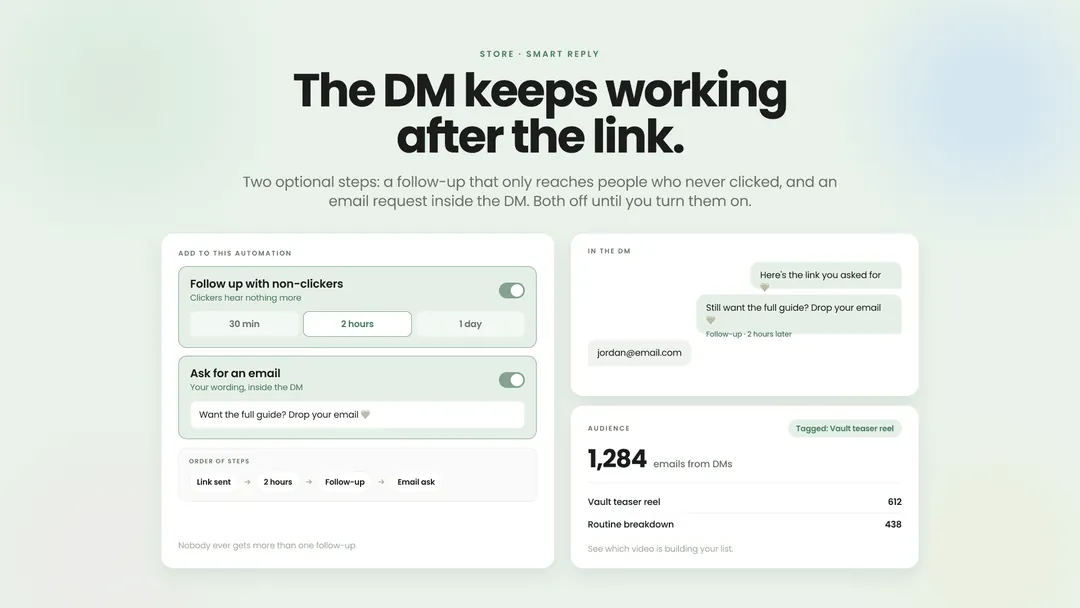
Two new optional steps in any Smart Reply automation. The first is a follow-up that goes only to the people who never clicked your link: set the delay yourself, 30 minutes, two hours, or a day later, and write whatever the nudge should say. Anyone who already clicked hears nothing more, and nobody ever gets more than one. The second asks for an email inside the DM, in wording you can edit so it sounds like you. Every valid reply lands in your Beacons audience tagged with the post that brought them in, so you can see which video is actually building your list. Both are off until you turn them on.
Build your DM flowAnswer a few questions, get a website
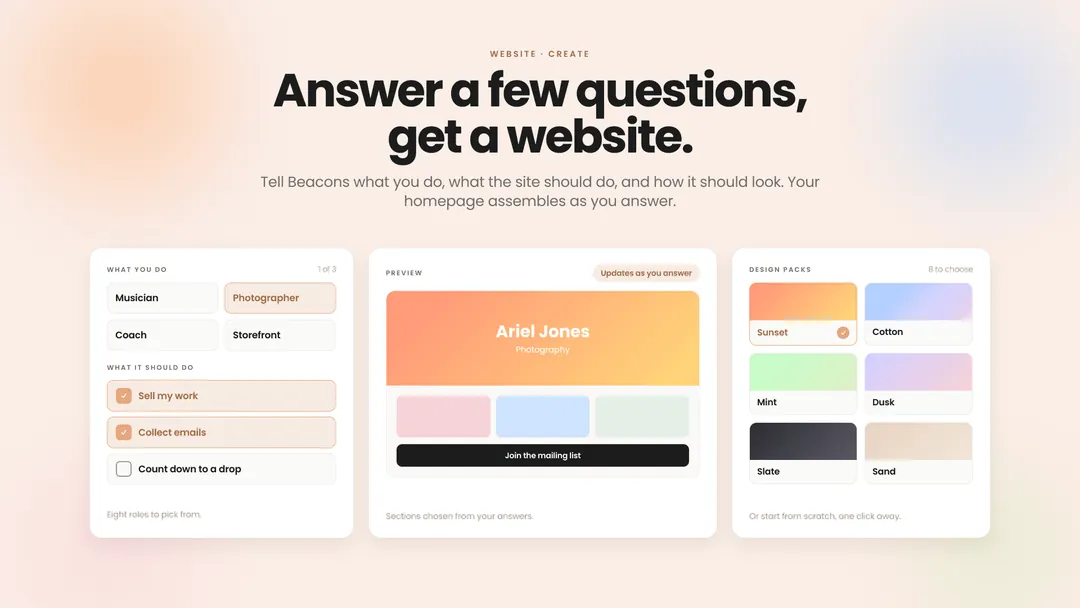
Starting a website used to mean staring at a grid of templates and guessing which one fit you. Now the create flow asks three things: what you do (musician, coach, photographer, storefront, and four more), what you want the site to do (sell, collect emails, point people to Spotify, count down to a drop), and how it should look. Beacons assembles a homepage from your answers while the preview updates as you go, then you pick colors and fonts from eight design packs. Starting from scratch is still one click away if you'd rather build it yourself.
Start your websiteYour home chart says what it's showing
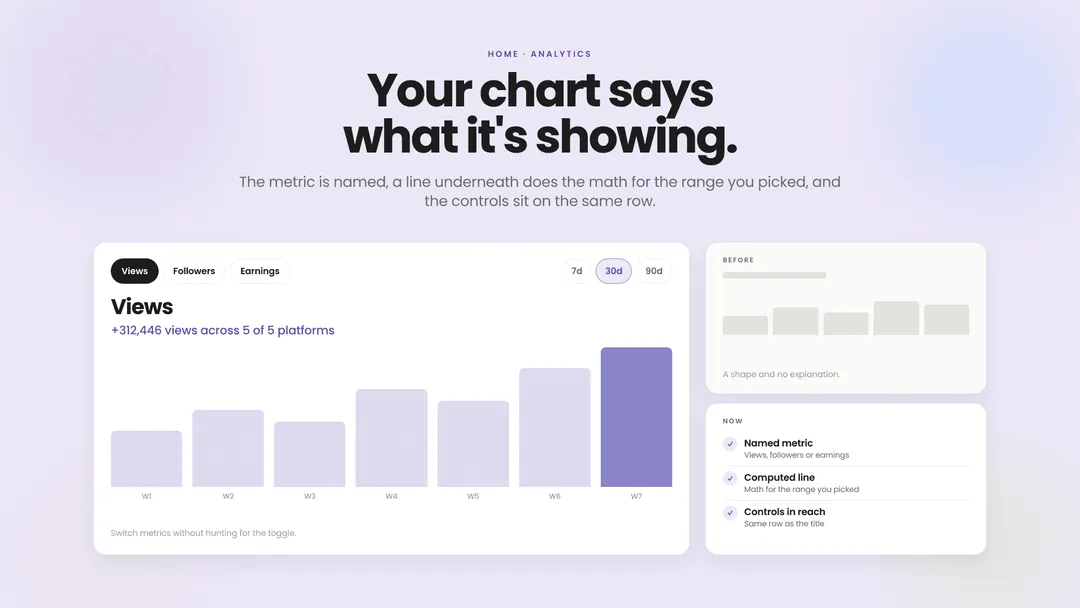
The analytics chart on your home screen had a shape and no explanation. Now it's titled with the metric you're looking at, views, followers or earnings, and there's a line underneath that does the math for the range you picked: something like "+312,446 views across 5 of 5 platforms." The date range and metric controls moved up onto the same row, so switching what you're looking at doesn't mean hunting for the toggle.
See your numbersWebsite editing levels up: a better block chooser, new blocks, quicker moves
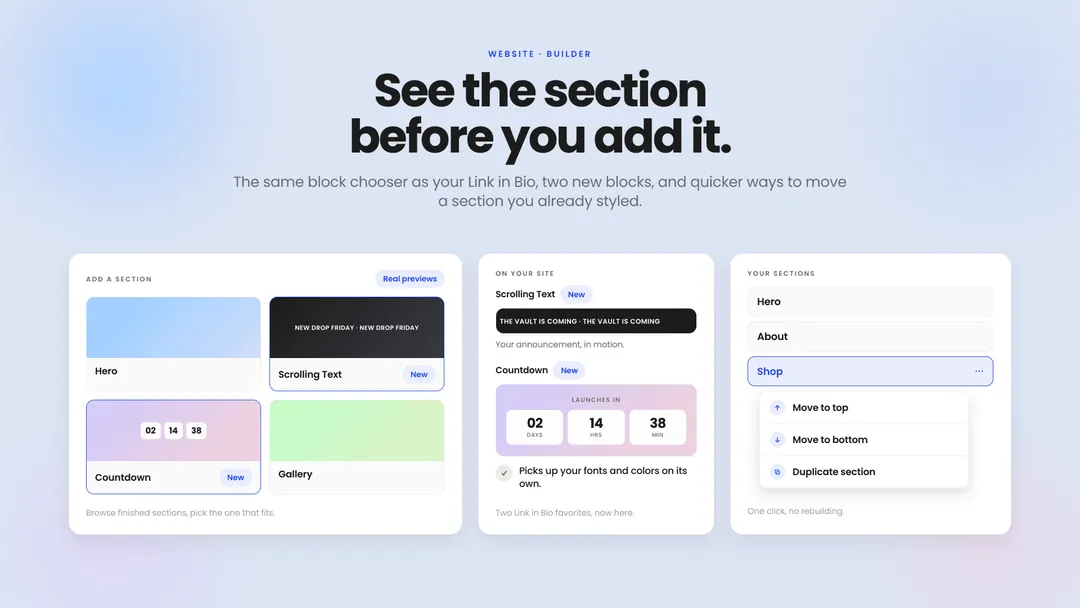
The website editor now uses the same block chooser as your Link in Bio: browse real previews of finished sections, find the one that fits, and add it. Two Link in Bio favorites made the jump too. Scrolling Text puts your announcement in motion so people actually catch it, and Countdown adds a launch or drop timer that picks up your site's fonts and colors on its own. Rearranging is quicker as well: send any section straight to the top or bottom of your page in one click, or duplicate a section you've already styled instead of rebuilding it.
Edit your websiteTheme previews are now personalized to you
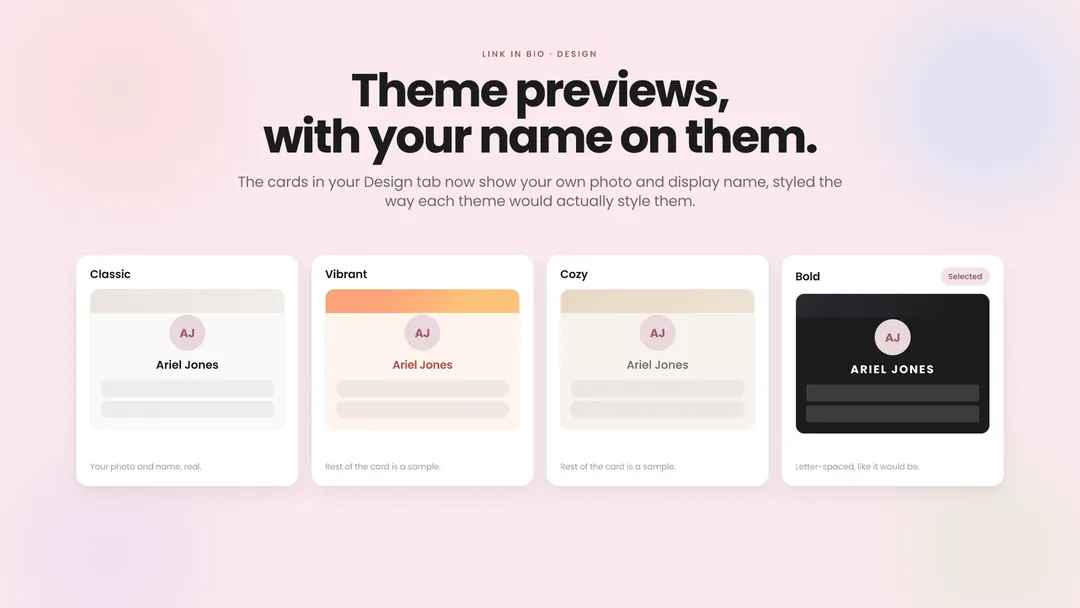
Picking a Link in Bio theme used to mean judging four sets of preview cards built around people who don't exist. Now the cards in your Design tab show your own profile photo and display name, styled the way that theme would actually style them, so the letter-spaced name in Bold looks like your name in Bold. Classic, Vibrant, Cozy and Bold all pick it up. The rest of each card is still a sample, and if you haven't added a photo or a display name yet, that card keeps its stand-in until you do.
Pick a themeBlock out the dates you don't want booked
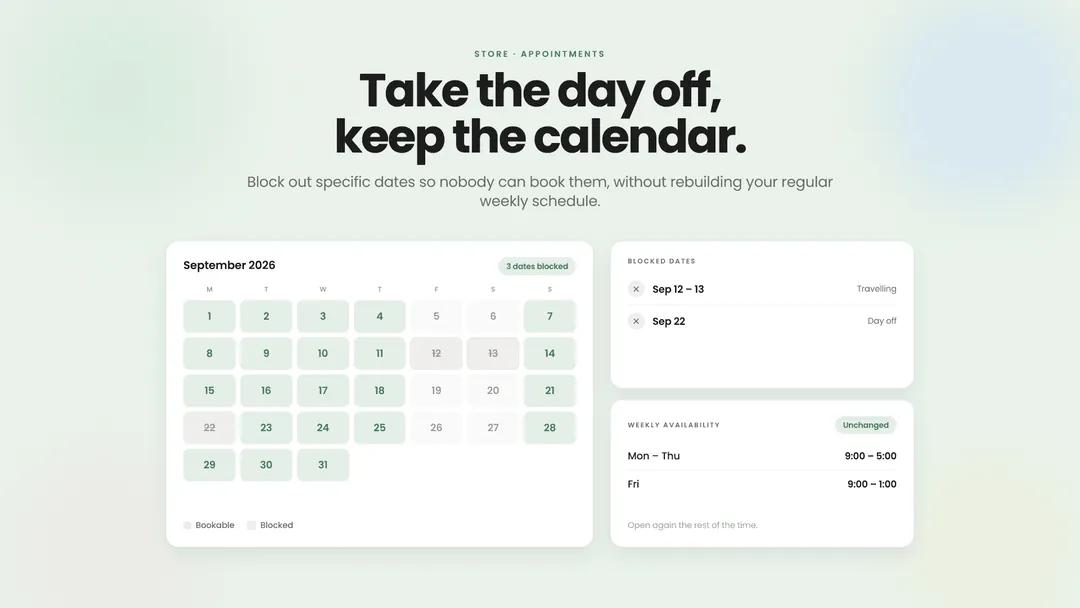
Appointment bookings follow the weekly availability you set, which works fine until you're travelling, sick, or just want a Friday off. Now you can block out specific dates so nobody can book them, without rebuilding your regular schedule. Your calendar stays open the rest of the time.
Set your availabilityAdd a second custom domain without leaving settings
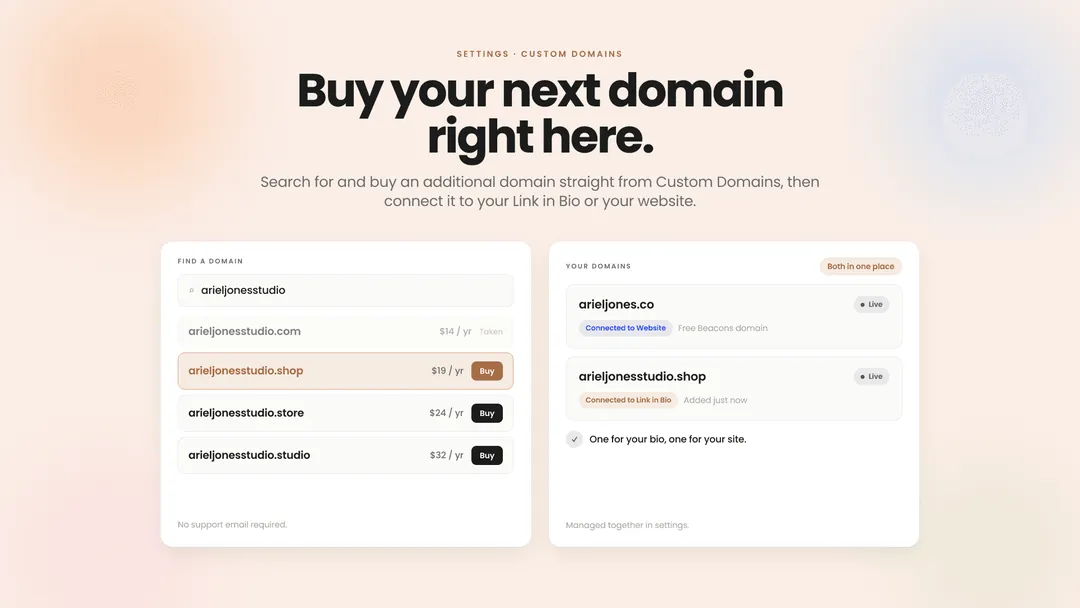
Once you'd claimed your free Beacons domain, getting another one meant emailing support. Now you can search for and buy an additional domain straight from Custom Domains in your settings, then connect it to your Link in Bio or your website right there. One domain for your bio, another for your site — both managed in the same place.
Manage your domainsArchive a link instead of deleting it
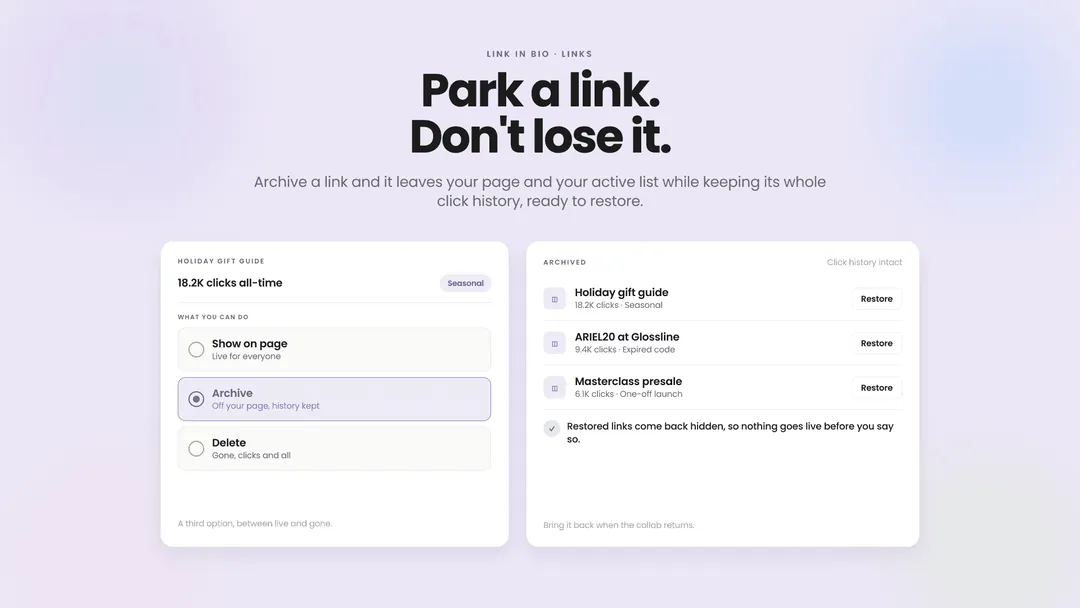
Links on your Link in Bio used to have two options: show them or delete them. Now there's a third. Archive a link and it comes off your page and out of your active list while keeping its whole click history — ready to restore whenever that collab comes back around or the product restocks. Restored links return hidden, so nothing goes live before you say so. Seasonal links, expired codes, one-off launches: park them instead of losing them.
Tidy up your linksThe Link in Bio glow-up: new headers, new motion, cleaner editing
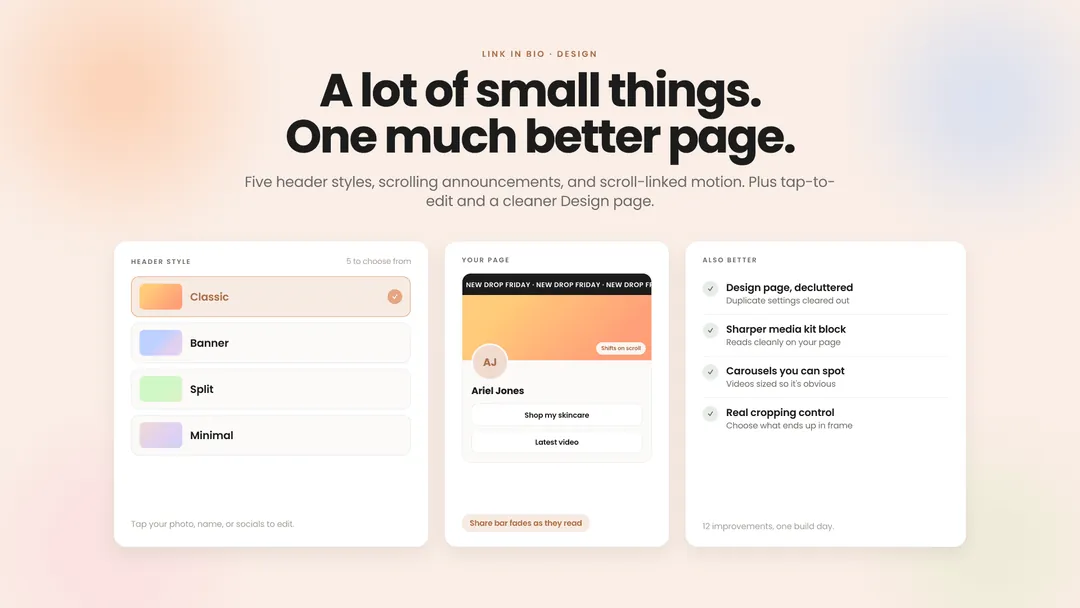
Our product team spent a full day on the parts of Link in Bio you touch most. New: five header styles to choose from, scrolling text for announcements you want people to actually notice, and scroll-linked motion — a gradient that shifts behind your header, a share bar that fades away as people read. Better: a Design page with the duplicate settings cleared out, a sharper media kit block, videos in carousels sized so you can tell there's a carousel, and an image cropper that gives you real control over what ends up in frame. You can also tap your photo, name, or socials to edit them now, instead of hunting for a button. A lot of small things. One much better page.
See your pagePause it, rewire it, measure it: Smart Reply gets easier to run
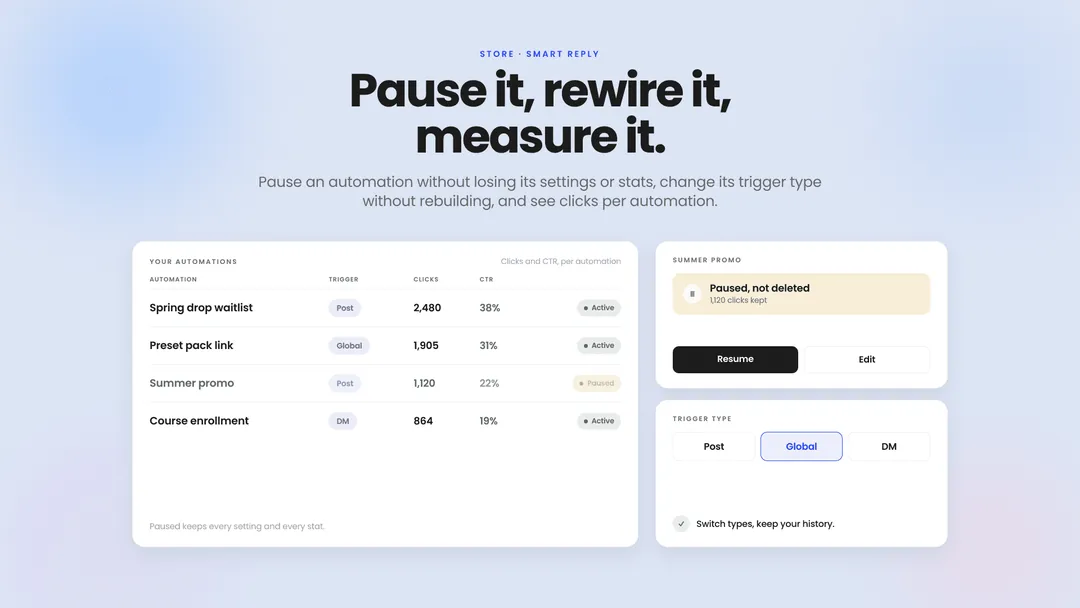
Smart Reply automations used to be all-or-nothing: the only way to stop one was to delete it, and the only way to change its trigger type was to rebuild it from scratch. Both are fixed. Pause any automation and it stops replying while keeping every setting and every stat, ready to switch back on whenever you want. Change an existing automation between post, global, and DM triggers without losing its history. And your Beacons links now report clicks and click-through rate per automation, so you can see which of your triggers actually sends people somewhere.
Manage your automationsYour Instagram feed block can keep itself current
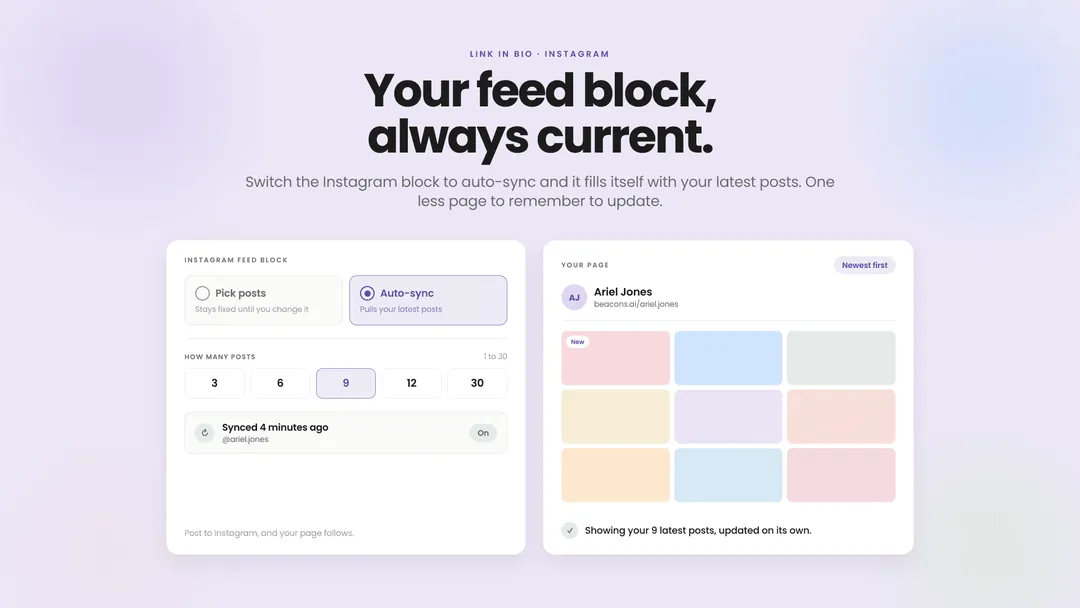
The Instagram feed block on your Link in Bio has always been a snapshot — you picked your posts once and it showed those posts forever. Now you can switch it to auto-sync, and it fills itself with your latest Instagram posts instead, staying current on its own as you keep posting. Choose how many show up, anywhere from one to 30. That's one less page you have to remember to update.
Turn on auto-syncSell it before you make it, with product waitlists
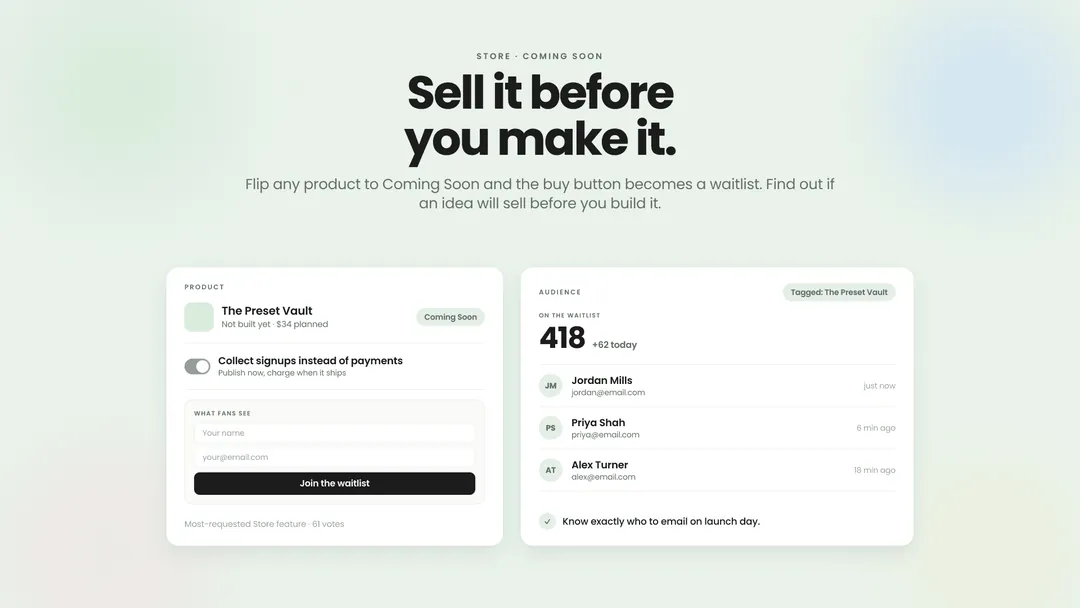
Coming Soon mode lets you publish a store product before it's ready and collect signups instead of payments. Flip any product to Coming Soon and the buy button becomes a waitlist that captures the name and email of everyone waiting on it — and they land in your Audience, tagged to that product, so you know exactly who to email on launch day. Pre-orders is the most-requested Store feature we have, with 61 votes behind it. It's also the cheapest way to find out whether an idea will sell before you spend a month building it.
Start a waitlistTime-limit or revoke course access
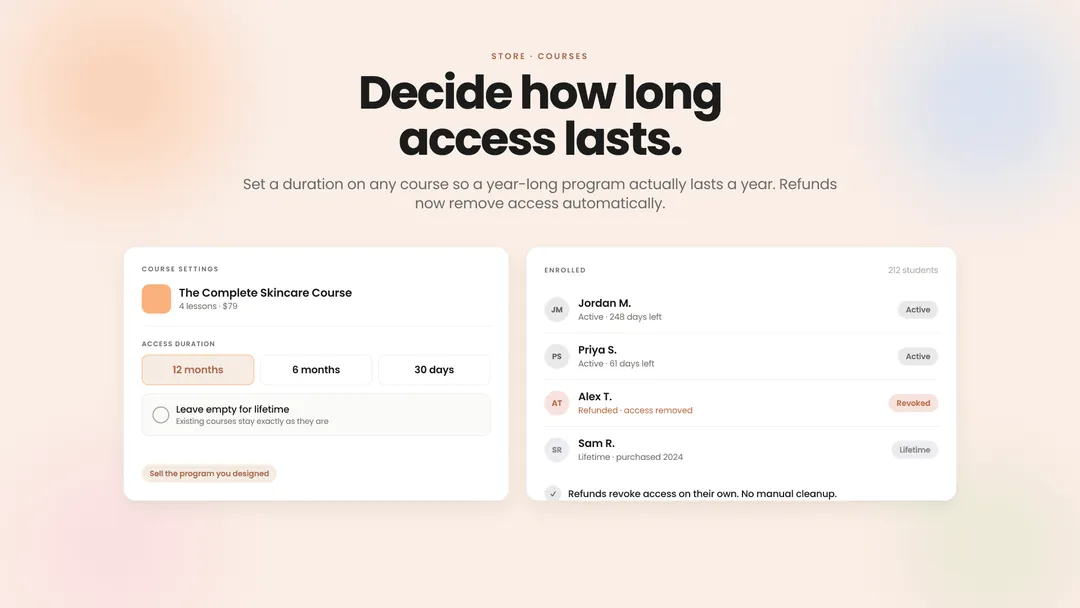
Courses on Beacons have always granted lifetime access, with no way to remove it — even after you refunded someone. Now you can set an access duration on any course, so a year-long program actually lasts a year, and a refunded purchase loses access automatically. Leave the duration empty and nothing changes: your existing courses stay lifetime. Sell the program you actually designed, and stop paying for refunds twice.
Limit/revoke accessSend Link in Bio signups straight to Flodesk
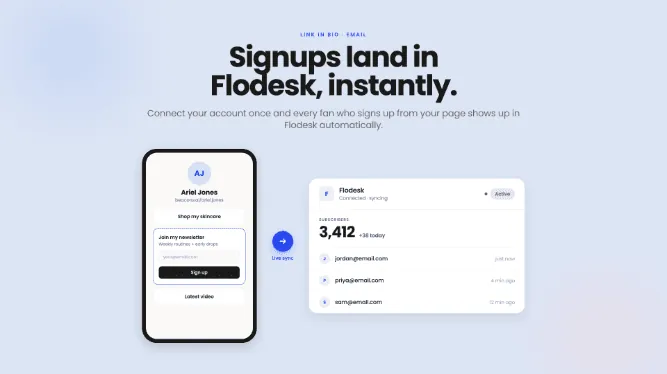
The email signup block on your Link in Bio now connects directly to Flodesk. Connect your account once, and every fan who signs up from your page shows up in Flodesk automatically — no CSV exports, no Zapier in the middle, no list that's three weeks out of date. If Flodesk is where your newsletter lives, your Link in Bio now feeds it directly.
Connect FlodeskBuild hype for your next drop with the countdown timer block
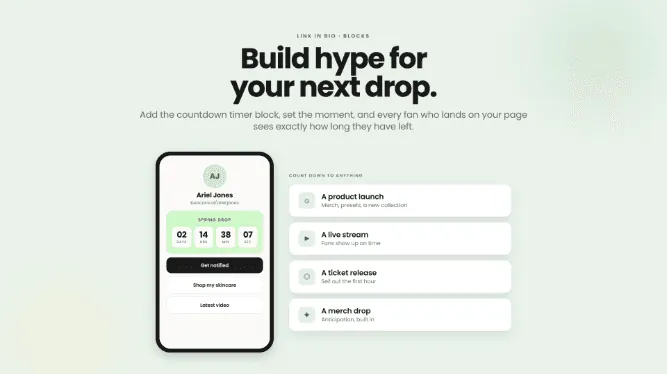
The countdown timer is a new Link in Bio block that counts down to whatever you have coming — a product launch, a live stream, a ticket release, a merch drop. Add it to your page, set the moment, and every fan who lands on your bio sees exactly how long they have left. You've been building anticipation in your captions for years. Now your page does it too.
Add a countdownShare discount codes fans can copy in one tap
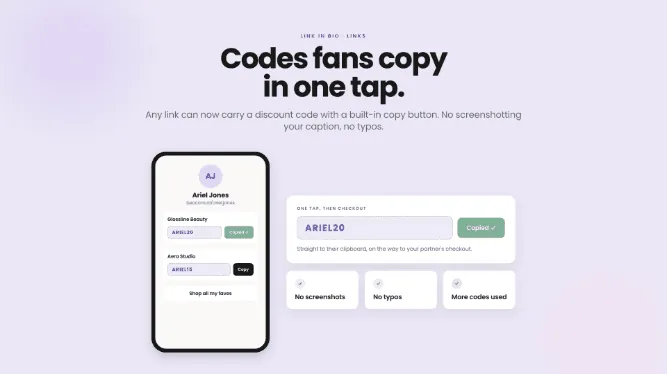
Any link on your Link in Bio can now carry a discount code with a built-in copy button. Add the code once, and fans copy it to their clipboard with a single tap on their way to checkout — no screenshotting your caption, no typos, no "wait, what was the code again?" The easier a code is to use, the more people use it.
Add your codeReorganize your Link in Bio without losing your click data
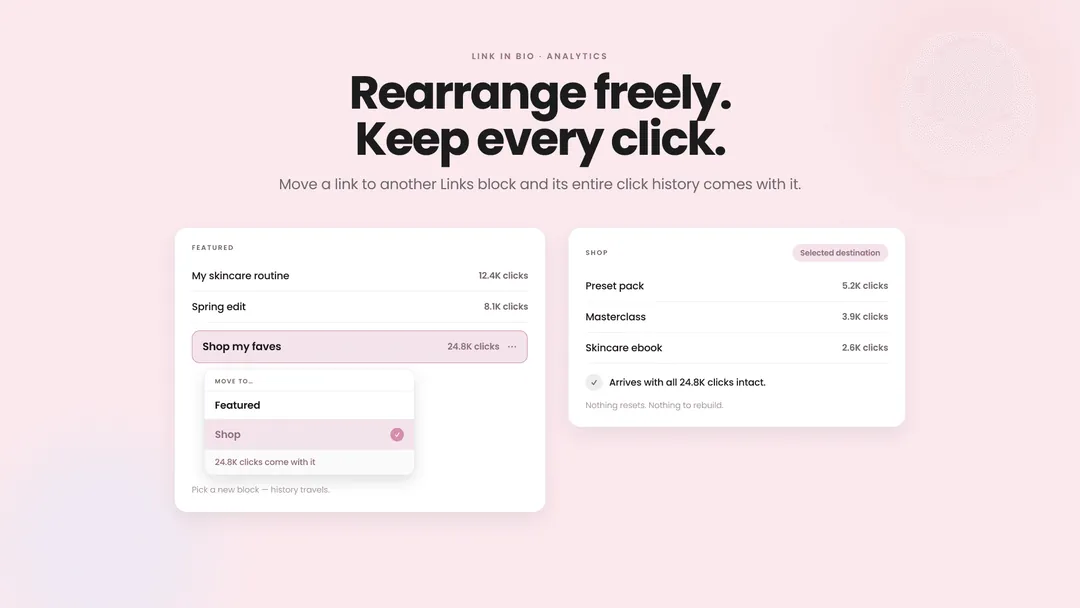
You can now move a link into a different Links block and its entire click history comes with it. Until now, moving a link meant deleting it and adding it back, and every click it had ever earned vanished with it — so the safest thing to do was never rearrange your page. Now you just pick the block you want it in. Reorganize as often as you like: your best-performing link stays your best-performing link.
Rearrange your pageSmart Reply, upgraded: send fans anywhere and see every click
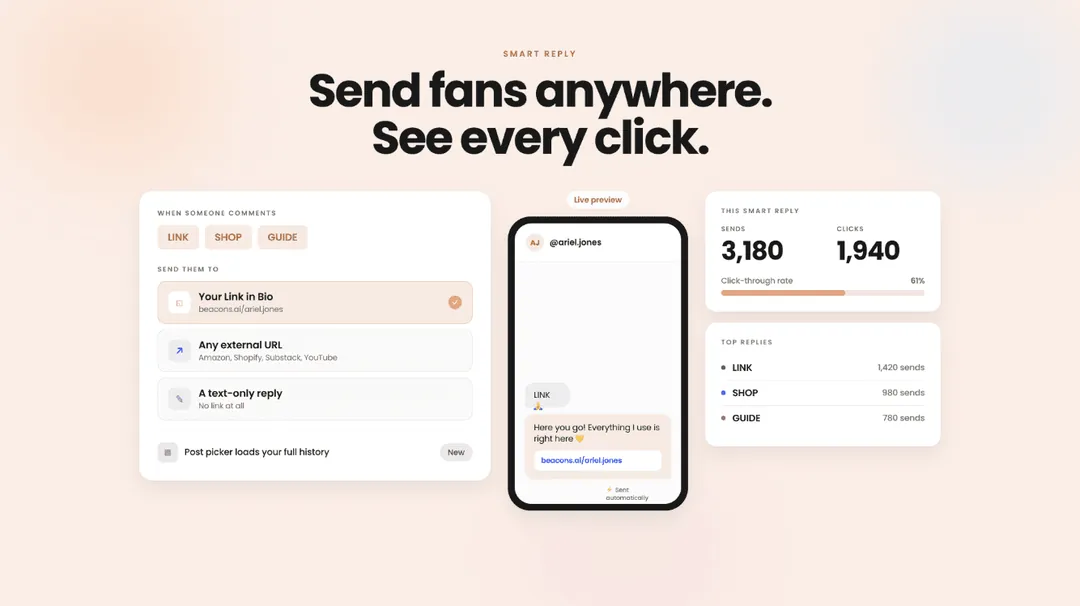
Smart Reply is the Beacons tool that automatically DMs fans a link when they comment your trigger word on an Instagram post. It just got its biggest upgrade yet: your DMs can now point anywhere — your Link in Bio, any external URL (Amazon storefront, Shopify store, Substack, YouTube video), or even a text-only reply with no link at all. New analytics track sends and clicks for every Smart Reply, and a redesigned builder shows a live preview of the exact DM fans will receive as you compose it — plus the post picker now loads your full post history, not just recent posts. Comment-to-DM, without the compromises.
Upgrade your DMsDiscover your best rates for brand deals with the Pricing Calculator
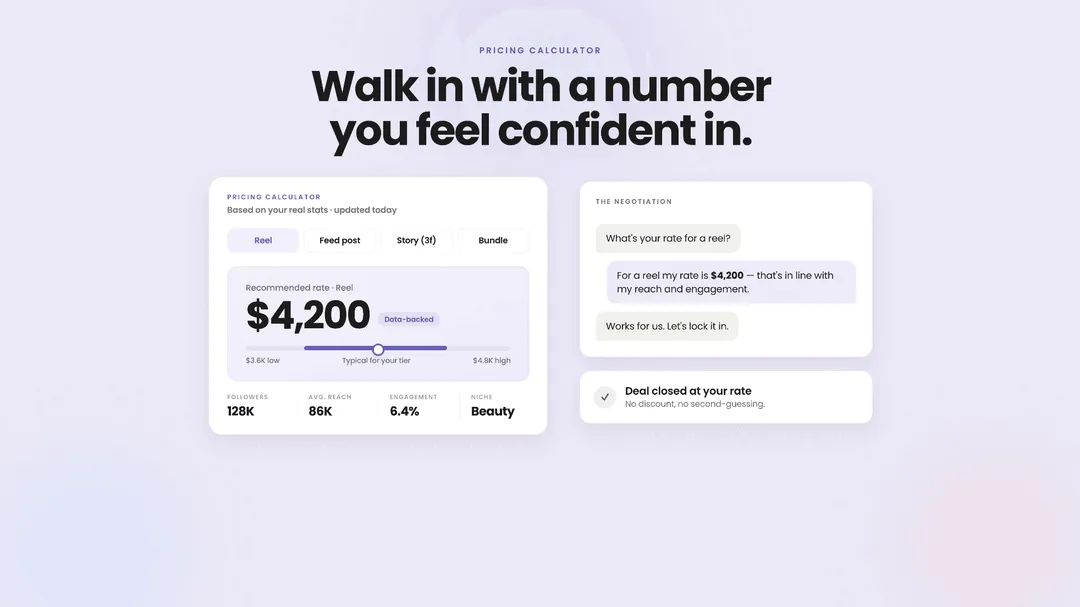
Pricing yourself as a creator is one of the hardest parts of the job. The Beacons Pricing Calculator takes out the guesswork. Beacons turns your real stats into a data-backed rate for any deliverable, reel, story, post, and more. Go into your next negotiation with a real number you feel confident in, not a guess.
Get your ratesMedia kit editing, rebuilt to be faster
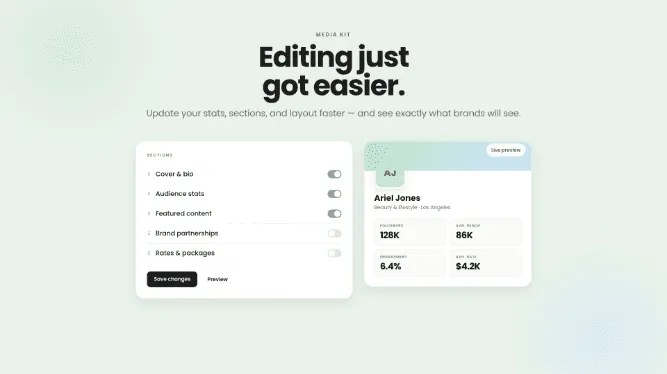
The Beacons media kit editor is the tool creators use to update the stats, sections, and layout of their media kit. We rebuilt the editing experience from the ground up: updates are faster, and you now see exactly what brands will see as you work. Your media kit is your pitch — updating it shouldn't slow you down.
Edit your media kitSet up your media kit to land more brand deals
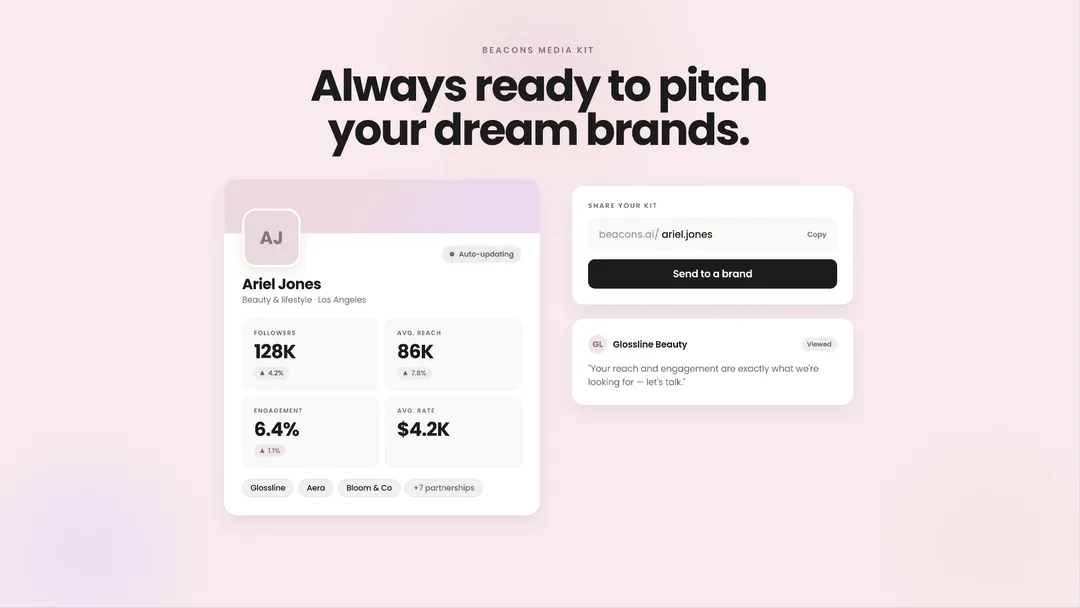
Your media kit is the first thing a brand sees when you pitch them. It needs to tell the brand exactly why they should hire YOU. On Beacons, you can set up your free, automatically updating media and always be ready to pitch your dream brands. Every creator needs one.
Set up for freeConnect your Instagram to Beacons in seconds
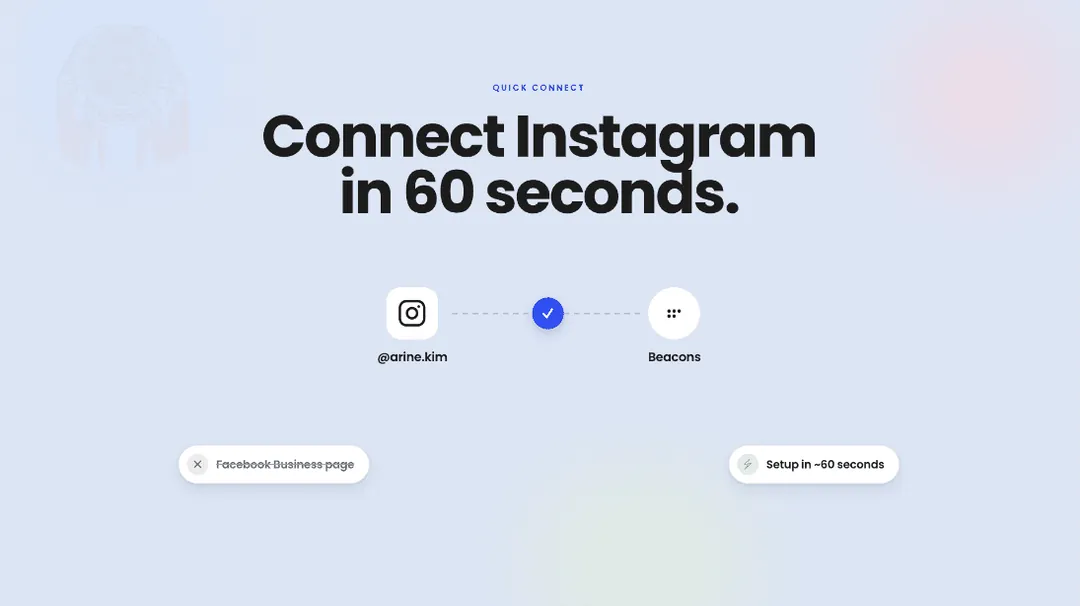
Connecting your Instagram to Beacons used to require a Facebook Business page. That requirement is gone. Now you can connect any Instagram account to Beacons and immediately unlock more insights from Beam, auto-updating Media Kit data, and more. The setup now takes 60 seconds - now’s the time.
Connect nowCreator CRM filters: find any creator fast
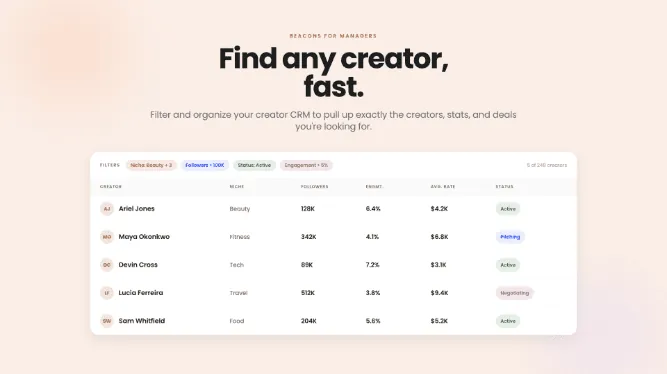
Column filters in the Beacons creator CRM let talent managers filter and organize their roster by the stats, deals, and details that matter. Big rosters need better tables — pull up exactly the creators you're looking for in seconds.
Try it nowRoster pins and decks: pitch your top creators faster
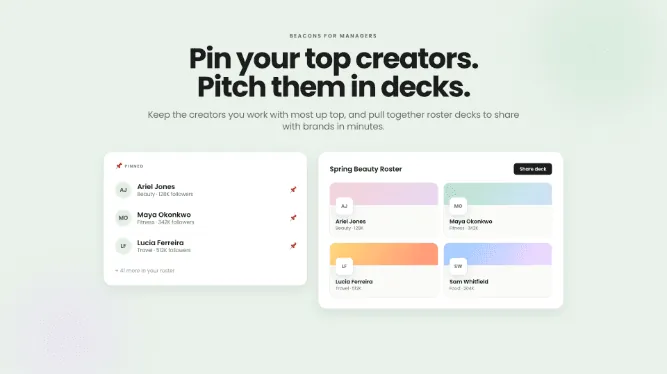
Roster pins and decks are two new Beacons for Managers tools: pin the creators you work with most so they're always up top, and pull together roster decks to share with brands in minutes. Your roster now works the way you pitch.
Open your rosterMedia kit PDFs that export in seconds
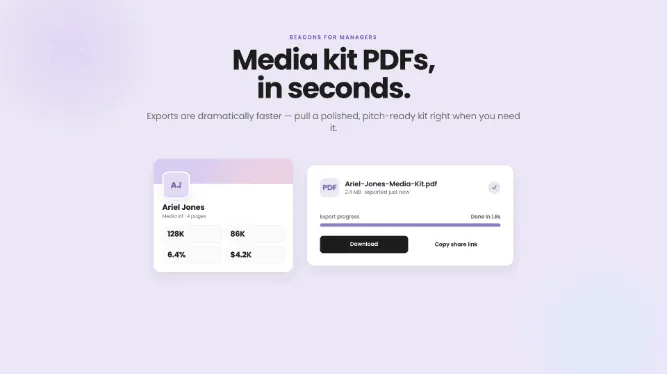
Media kit PDF export on Beacons for Managers now generates a polished, pitch-ready PDF in seconds. No more waiting on a download before a pitch — pull a kit right when you need it.
Export a kitSelf-serve agency signup for Beacons for Managers
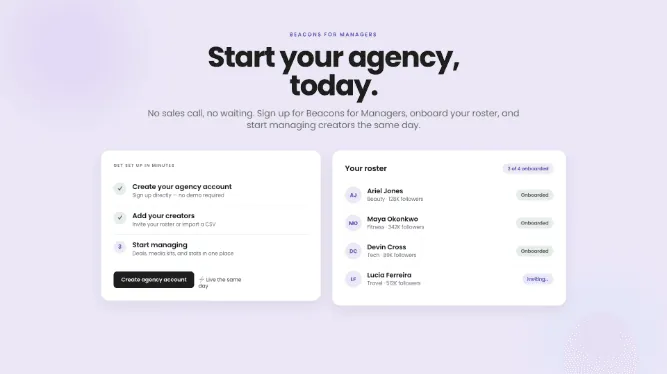
Self-serve signup lets agencies join Beacons for Managers directly — no sales call, no waiting. Sign up, onboard your roster, and start managing creators the same day.
Get startedYouTube Shorts and long-form stats, finally separate
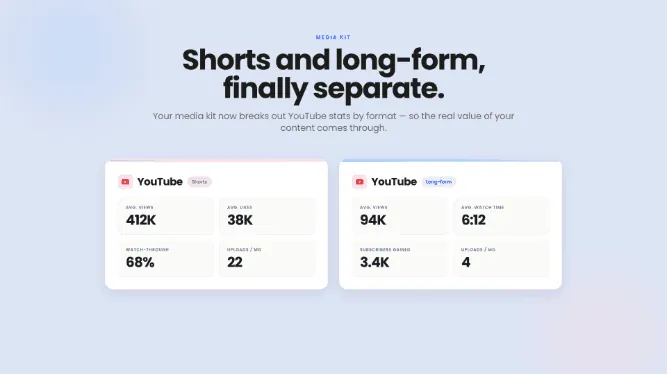
Beacons media kits now break out YouTube stats by format, showing Shorts and long-form performance separately. Shorts and long-form tell brands two different stories — now the real value of your content comes through, however you create.
See your statsConnection status banners: know the moment a social disconnects
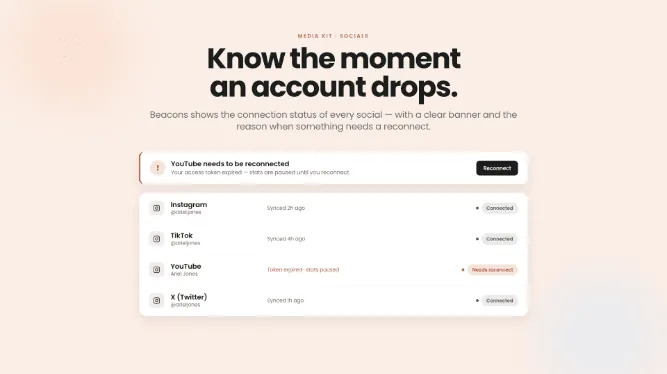
Connection status banners show the live status of every social account connected to Beacons, with a clear alert and the reason whenever something needs a reconnect. A disconnected account means stale stats — now your media kit stays accurate without the guesswork.
Check your connectionsYour AI teammate for creators just clocked in
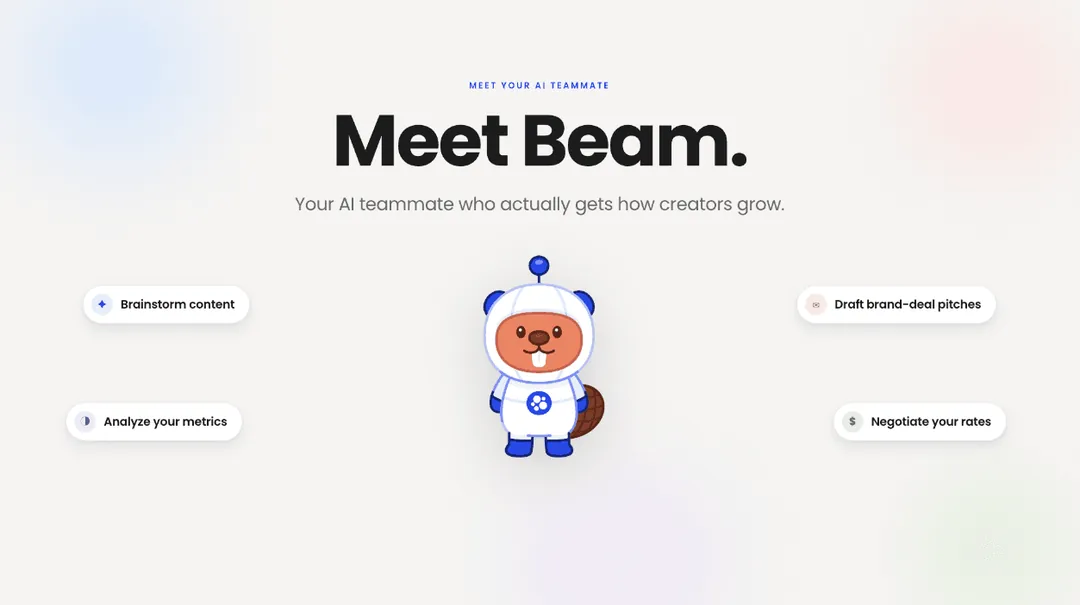
Meet Beam: your AI teammate who actually gets how creators grow. Beam isn’t a chatbot, or a “productivity hack.” He’s an actual partner who helps you brainstorm strong content, analyze metrics, draft brand deal pitches, negotiate rates, and more.
Try Beam nowBeam suggests rates for every deliverable type
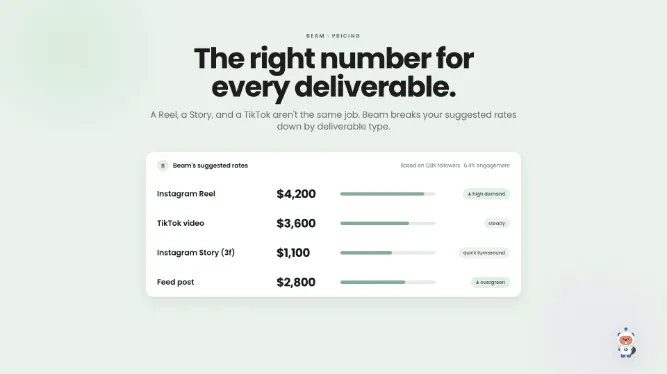
Suggested rates by deliverable is a Beam feature that breaks down a creator's recommended pricing by deliverable type — Reel, Story, TikTok, and more. A Reel, a Story, and a TikTok are not the same job, and your rates shouldn't be either. Walk into any negotiation with the right number for exactly what's being asked.
See your ratesGive your website and link in bio their own custom domains
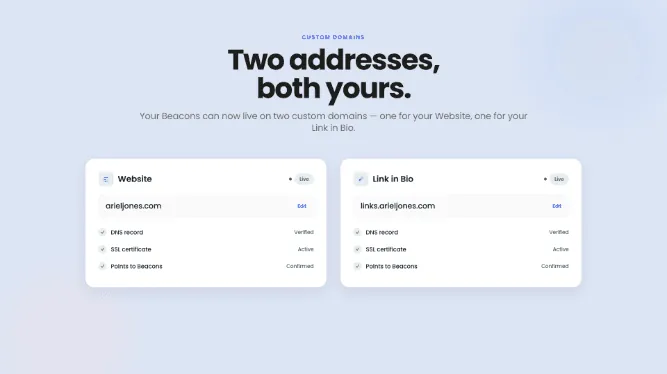
Beacons now supports two custom domains per account — one for your Website, one for your Link in Bio. Setup is cleaner too, with smarter checks that tell you exactly when your domain is live. Your brand deserves its own address.
Set up your domainData source badges: every media kit stat shows its receipts
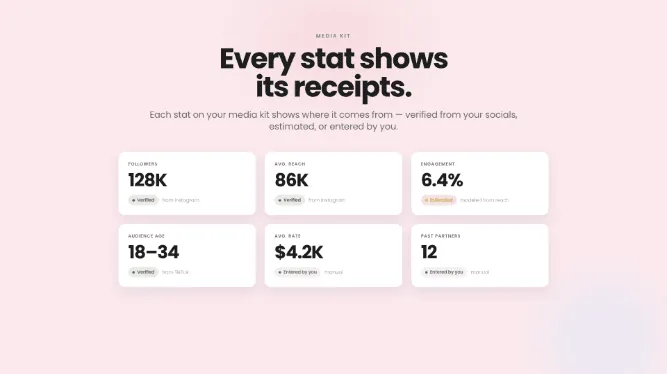
Data source badges label every stat on a Beacons media kit with exactly where it comes from — verified from your connected socials, estimated, or entered by you. Brands trust numbers they can check; more transparency means more trust when you pitch.
See your media kitYour X audience now counts on your media kit
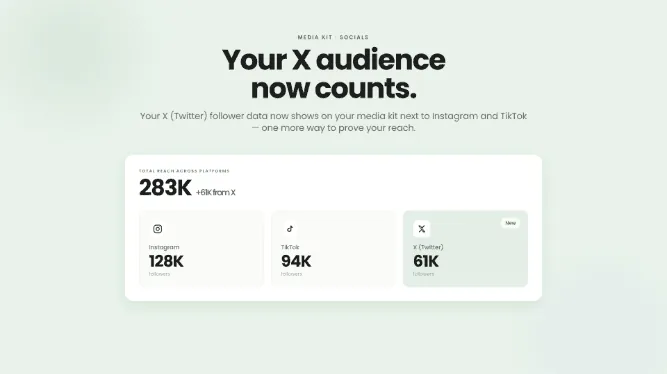
Beacons media kits now display X (Twitter) follower data alongside Instagram and TikTok. Brands want the full picture before they say yes — this is one more way to prove the reach you've built.
Connect XShow brands your LinkedIn reach on your media kit
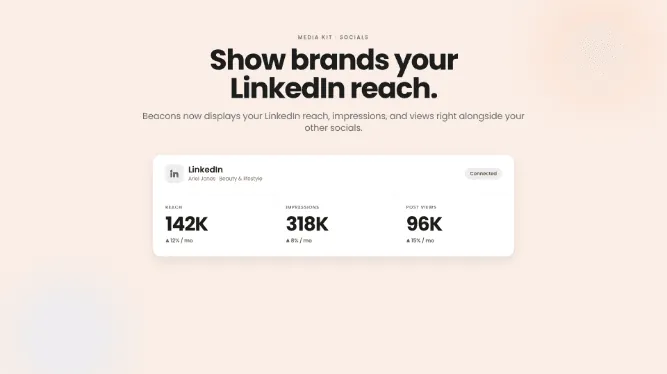
Beacons media kits now display LinkedIn reach, impressions, and views alongside your other socials. If you're building an audience on LinkedIn, your media kit finally shows it — brands see the whole story, not just part of it.
Connect LinkedInBlog Posts: long-form publishing on Beacons
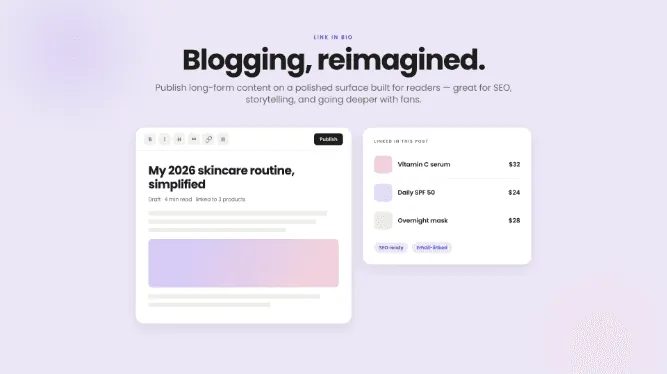
Blog Posts is a Beacons surface for publishing long-form content on a polished page built for readers — great for SEO, storytelling, and going deeper with your fans. Link posts to your products and email list, and own your words on your own platform.
Write a postAI Brand-Deal Inbox: your deal emails, organized and answered
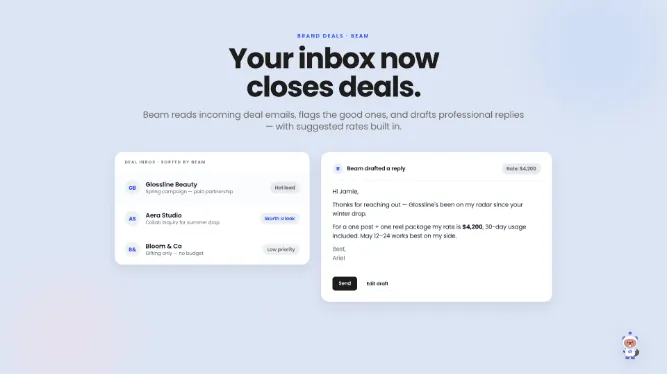
The AI Brand-Deal Inbox reads a creator's incoming deal emails, organizes them, flags the good ones, and drafts professional replies — with suggested rates built in. Hours of inbox admin, handled. Respond faster, close more, stress less.
Try it nowAI onboarding: get set up in minutes with your new sidekick
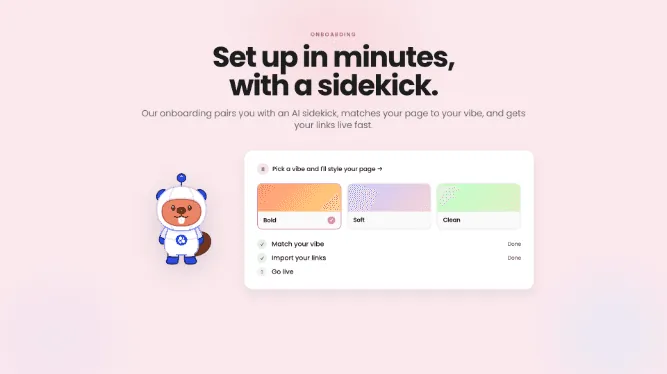
Beacons' new AI-powered onboarding pairs you with an AI sidekick that matches your page to your vibe and gets your links live in minutes. Starting on Beacons is now faster — and a lot more fun.
Start for freeEdit your link in bio, store, and emails - just by asking
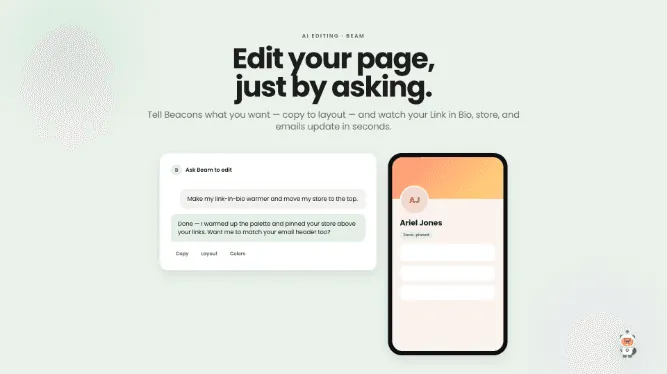
AI editing on Beacons lets you change your Link in Bio, store, and email campaigns — from copy to layout — just by describing what you want. Tell Beacons what you want and watch it happen in seconds.
Try AI editingAI-first home screen: see what needs your attention
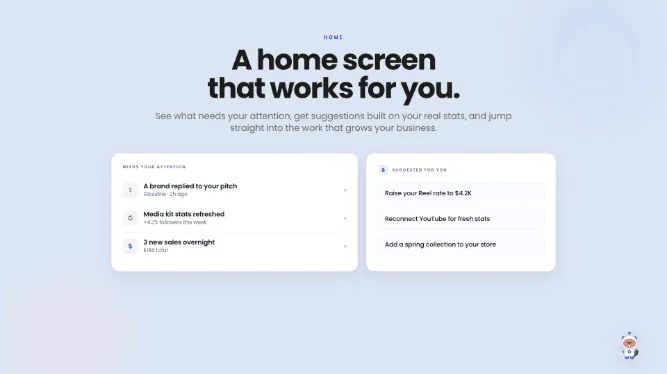
The new Beacons home screen is AI-first: it surfaces what needs your attention, makes suggestions built on your actual stats, and jumps you straight into the work that grows your business.
See what's newNotifications center: every win in one place
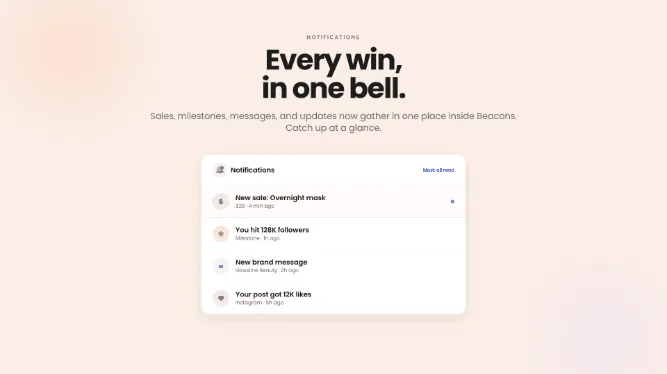
The Notifications center gathers your sales, milestones, messages, and updates in one place inside Beacons. Catch up at a glance and never miss the good news again.
See what's newThreads, LinkedIn, and Pinterest now count too
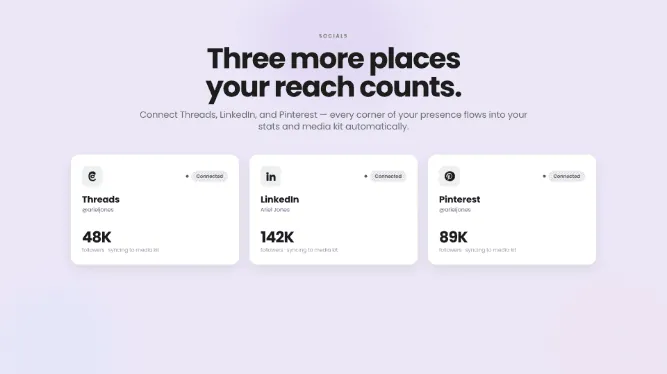
Beacons now connects to Threads, LinkedIn, and Pinterest, pulling every corner of your presence into your stats and media kit automatically. Wherever you create, your reach should show.
Connect your accountsAffiliate collections and Creator Tiers
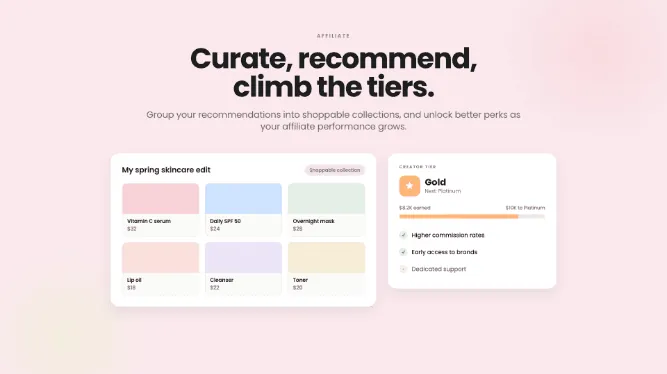
Affiliate collections let you group your recommended products into shoppable collections, and Creator Tiers unlock better perks as your affiliate performance grows. Scattered links, turned into a polished shopping experience.
Build a collectionSnapchat stats join your media kit
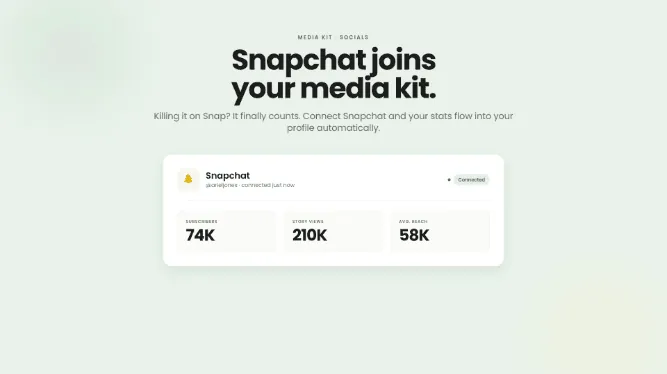
Beacons now connects to Snapchat, flowing your Snap stats into your profile and media kit automatically. Killing it on Snap? It finally counts — a more complete story for every pitch.
Connect SnapchatAnalytics you'll actually use
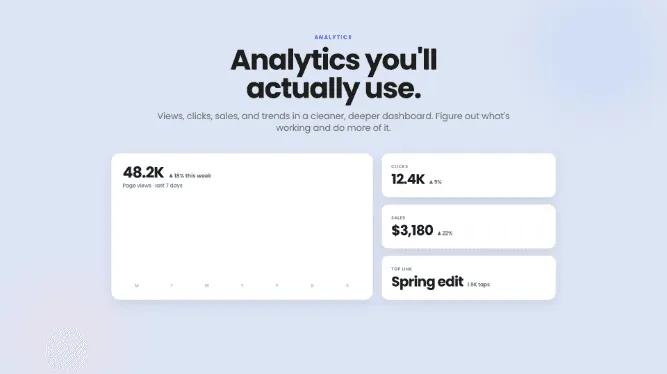
Beacons Analytics is a redesigned dashboard showing your views, clicks, sales, and trends in one cleaner, deeper view. Figure out what's working and do more of it — growth on purpose, not by luck.
See your statsBranding Kit: your colors and fonts, everywhere at once
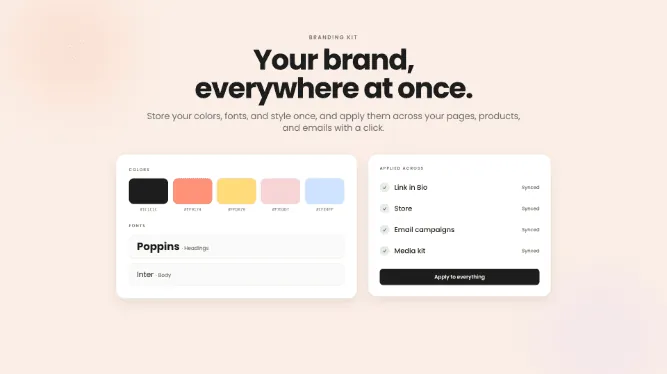
The Branding Kit stores your brand's colors, fonts, and style once, then applies them across your pages, products, and emails with a click. No more hunting for that one hex code — consistency builds recognition.
Set your brandSmart Reply: comment "LINK" and your DMs handle the rest
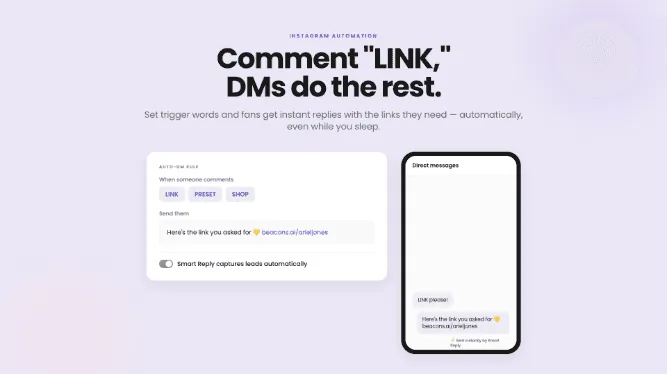
Smart Reply is an Instagram auto-DM tool on Beacons: set trigger words and fans get instant replies with the links they need, automatically. When a post blows up, Smart Reply captures leads and sales while you sleep. Your DMs, working overtime.
Set up auto-DMTikTok, YouTube, and Twitch join the party
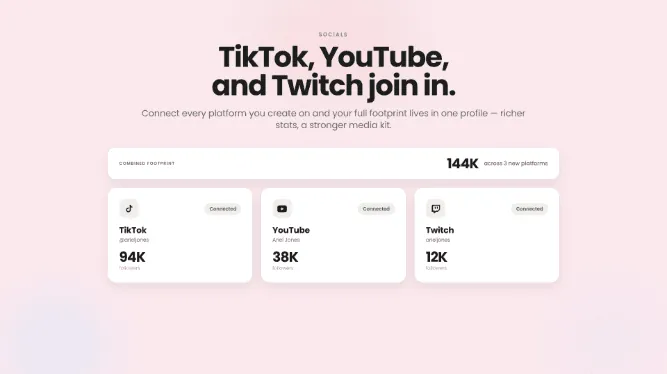
Beacons now connects to TikTok, YouTube, and Twitch, bringing your full footprint into one profile. Richer stats, a more impressive media kit, and numbers that update themselves.
Connect your platformsNative Instagram connection and push notifications
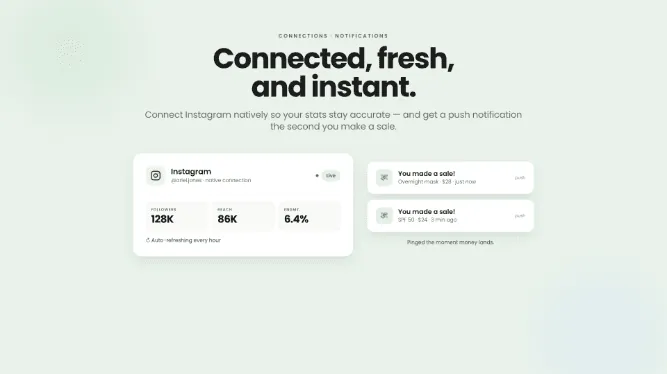
Beacons now supports native Instagram connection, keeping your stats accurate and fresh to power better analytics, media kits, and pitches. Push notifications are here too — know the second you make a sale.
Connect Instagram12,000+ brands to earn from in the affiliate marketplace
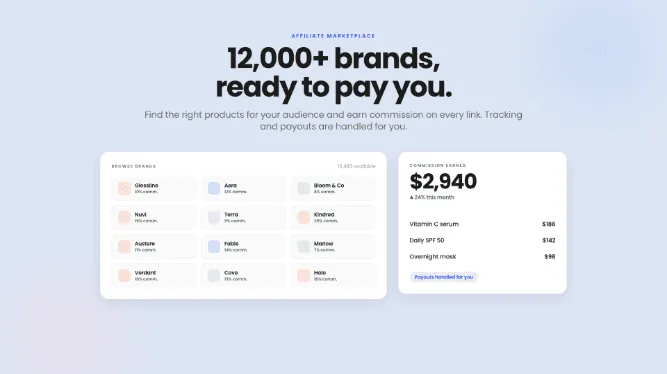
The Beacons affiliate program is a marketplace that connects creators with 12,000+ brands, with tracking and payouts handled for you. Find the right products for your audience and earn a commission on every link — recommending products you love should pay.
Browse brandsBoost every sale with order bumps
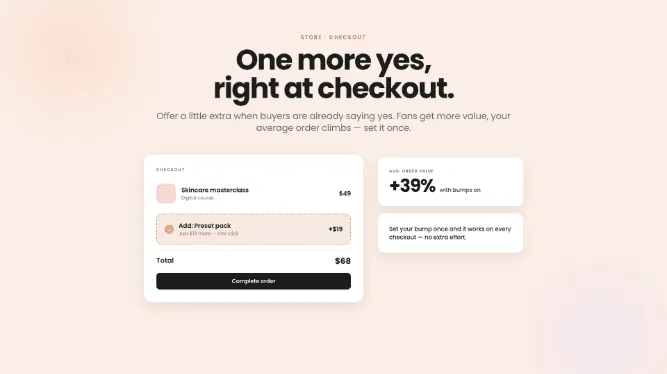
Order bumps let you offer a little extra right at checkout, when buyers are already saying yes. Fans get more value, your average order climbs — set it once and let it work.
Add an order bumpEvents and Tours: put your shows on your page
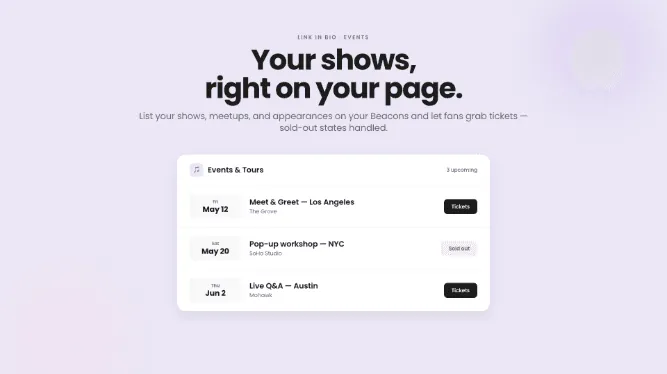
The Events and Tours block lists your shows, meetups, and appearances right on your Beacons page and lets fans grab tickets. Sold-out states handled, no separate events tool needed.
Add your datesYour Shopify catalog, synced to your page
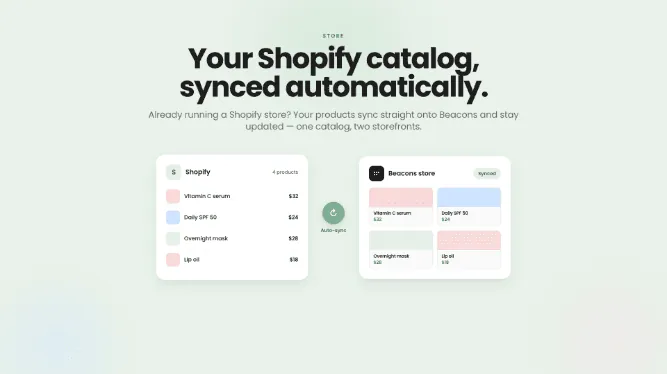
Shopify product sync brings your existing Shopify catalog straight onto your Beacons page and keeps it updated automatically. One catalog, two storefronts, zero double bookkeeping.
Sync your storeBrand deals, out of your inbox and into one place
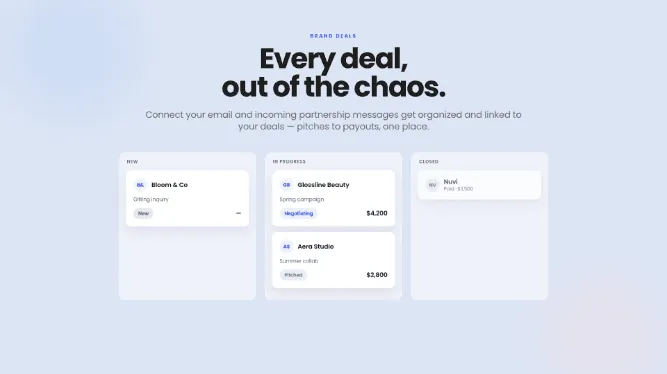
The brand-deal inbox connects your email to Beacons, automatically organizing incoming partnership messages and linking them to your deals. Pitches, replies, and negotiations in one place — no more losing opportunities in the chaos.
Connect your inboxAI Website Builder: a full website, built for you
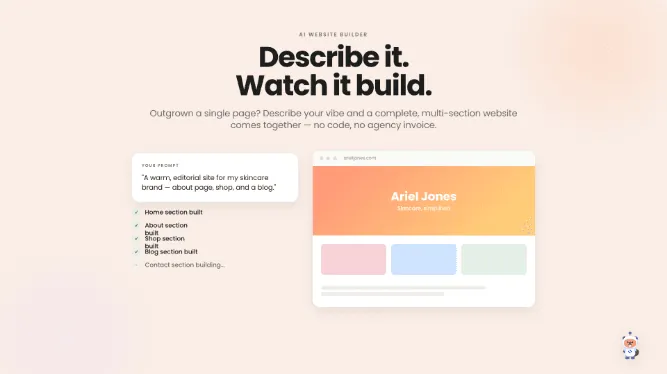
The AI Website Builder turns a description of your vibe into a complete, multi-section website — no code, no designers, no agency invoice. Outgrown a single page? Your brand deserves more than a link.
Build your siteMemberships: monthly support from your biggest fans
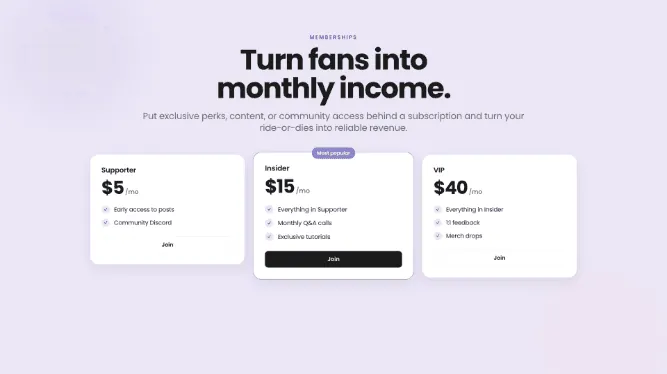
Memberships let creators put exclusive perks, content, or community access behind a subscription — turning ride-or-die fans into reliable monthly income. Predictable revenue means creative freedom.
Launch membershipsYour Instagram grid, live on your page
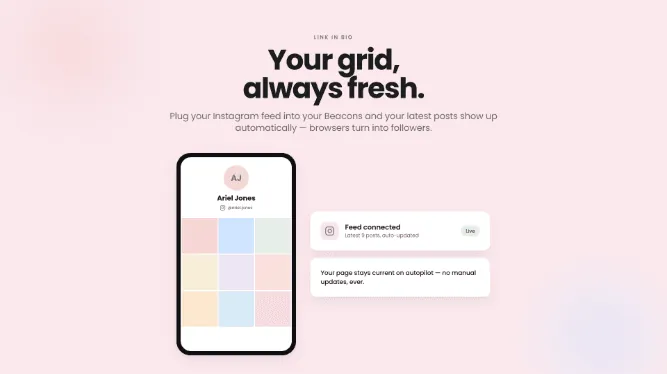
The Instagram feed block plugs your Instagram grid straight into your Beacons page, updating automatically with your latest posts. Your page stays fresh on autopilot — and browsers turn into followers.
Add your feedTurn what you know into a course
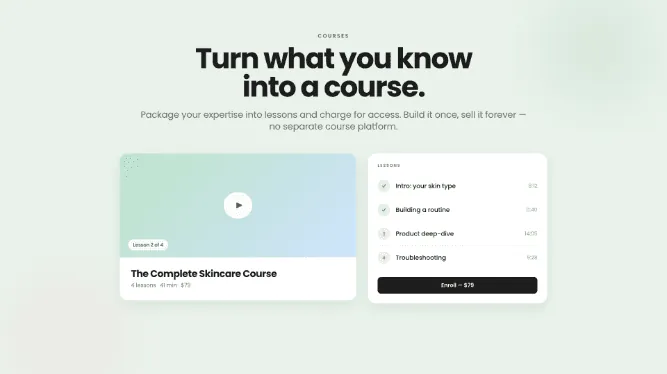
Courses on Beacons let you package your expertise into lessons and charge for access — editing, cooking, fitness, whatever fans keep asking you about. Build it once, sell it forever, no separate course platform needed.
Create a courseAI image generation: custom graphics, no designer needed
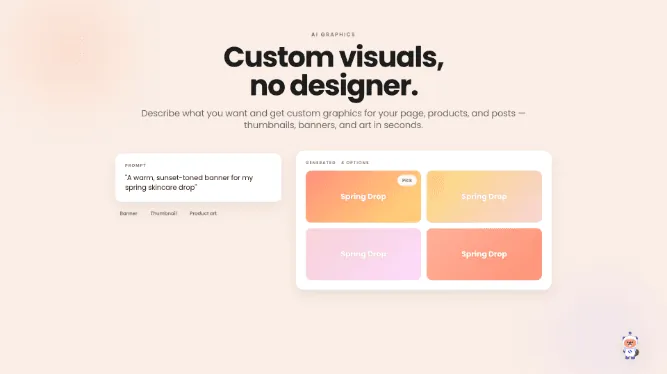
AI image generation on Beacons creates custom visuals for your page, products, and posts from a simple description. Thumbnails, banners, product art — generated in seconds, no design skills required.
Generate an imageMulti-currency support: your store speaks every currency
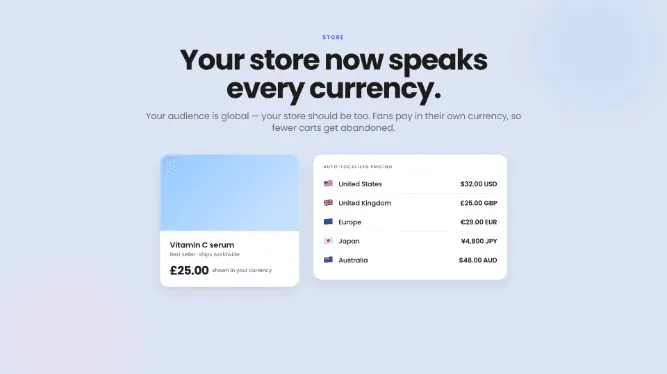
Multi-currency support lets fans pay in their own currency in your Beacons store. Fewer abandoned carts, and a shop that feels local everywhere — because your audience is global.
Go globalAI Brand Outreach: pitch brands with AI in your corner
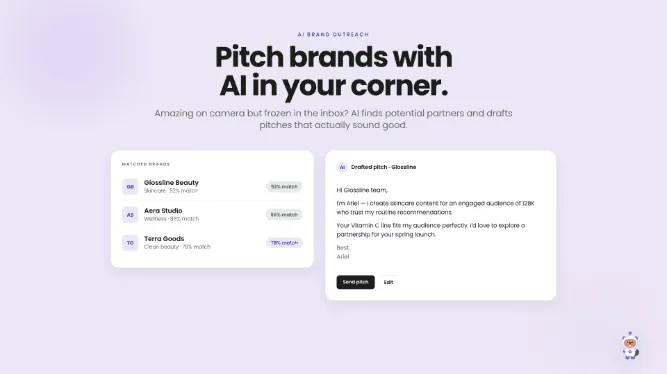
AI Brand Outreach helps creators find potential brand partners and drafts pitches that actually sound good. Amazing on camera but frozen in the inbox? More pitches sent, more deals landed.
Start pitchingThe Pricing Calculator: never guess your rate again
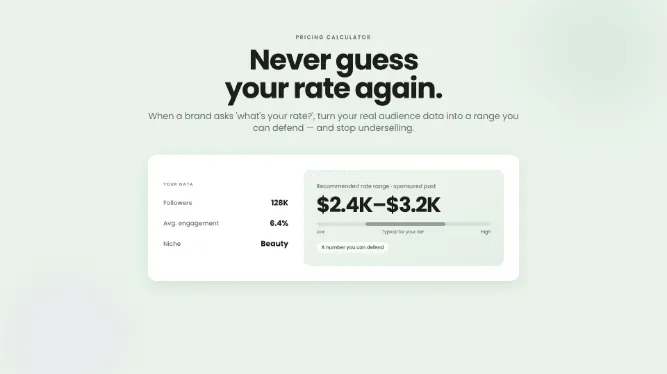
The Pricing Calculator turns a creator's real audience data into a defensible rate range for brand deals. When a brand asks "what's your rate?", you shouldn't have to pull a number out of thin air — never undersell yourself again.
Get your rateAudience Manager: the CRM your community deserved
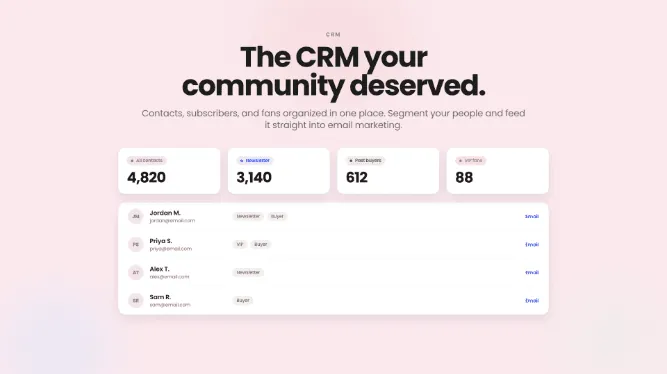
Audience Manager is a CRM that organizes your contacts, subscribers, and fans in one place. Segment your people, reach the right ones with the right message, and feed it all straight into your email marketing.
Meet your audienceEmail marketing: own your audience
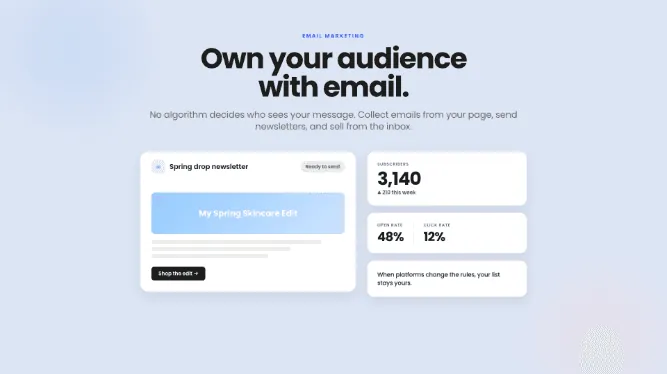
Beacons email marketing lets you collect emails right from your page, send newsletters and promos, and sell straight from the inbox. No algorithm decides who sees your message — when platforms change the rules, your list stays yours.
Start your listThe Beacons app for iOS and Android
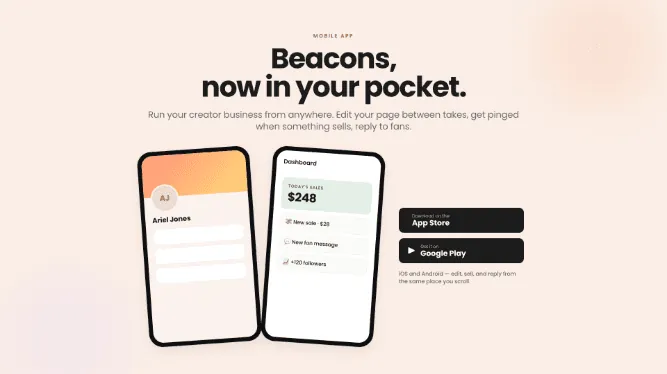
The Beacons app for iOS and Android lets you run your creator business from anywhere. Edit your page between takes, get pinged the moment something sells, and reply to fans from the same place you scroll.
Get the appThe Beacons store: sell the things only you can make
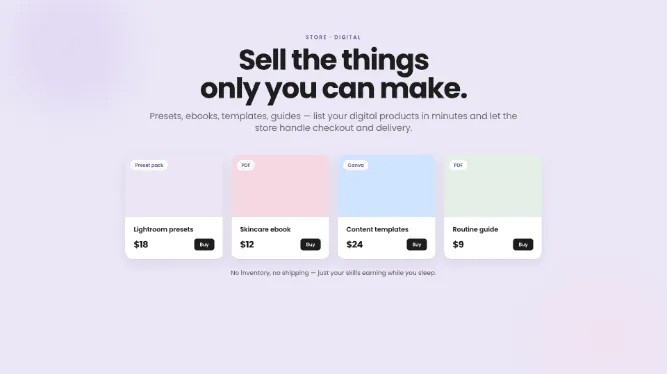
The Beacons store lets creators sell digital products — presets, ebooks, templates, guides — with checkout and delivery handled for you. No inventory, no shipping, just your skills earning while you sleep.
Open your storeFinancial Dashboard: mission control for your creator income
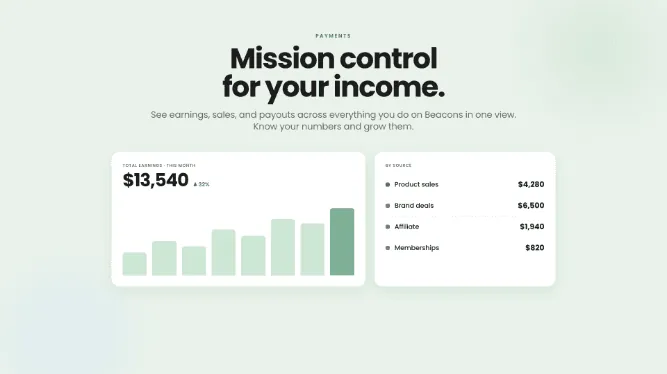
The Financial Dashboard shows your earnings, sales, and payouts across everything you do on Beacons — in one view. No more guessing how the month is going; know your numbers and grow them.
See your earningsAppointments: sell your time straight from your page
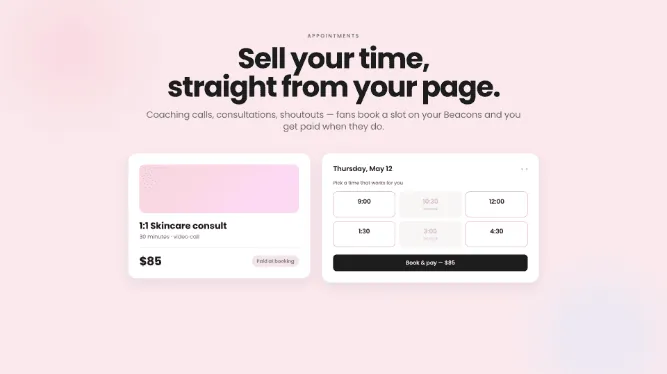
Appointments let fans book and pay for your time — coaching calls, consultations, shoutouts — right on your Beacons page. Set your availability once and skip the scheduling emails forever.
Open your calendarAll your social stats, gathered automatically
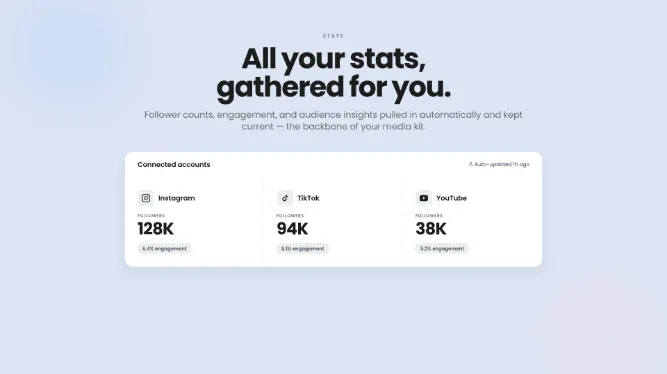
Beacons social stats pull your follower counts, engagement, and audience insights from every connected platform automatically — and keep them current. No more screenshotting analytics from five different apps. It's the trustworthy snapshot brands want, and the backbone of your media kit.
Connect your socialsInvoicing: bill brands like a pro
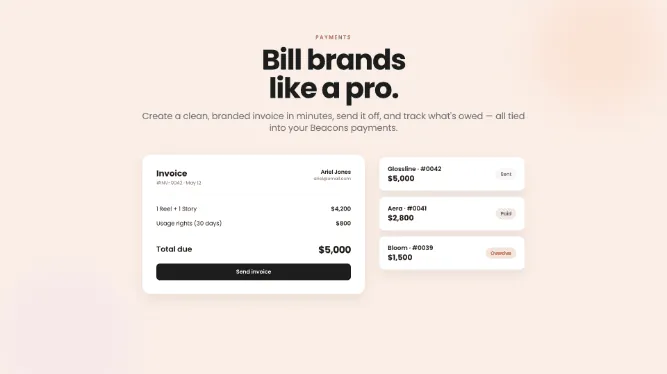
Invoicing on Beacons creates a clean, branded invoice in minutes, sends it off, and tracks what's owed — all tied into your Beacons payments. Chasing payments is nobody's favorite part of the job; now it's handled.
Send an invoiceThe Brand Deals hub: a real home for your partnerships
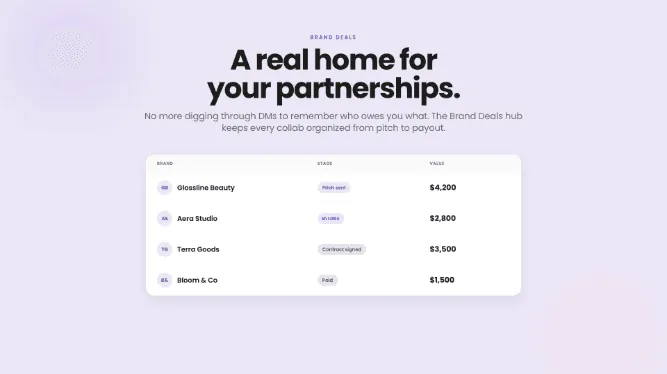
The Brand Deals hub keeps every collab organized from pitch to payout, connected to your payments so the money actually arrives. No more digging through DMs to remember who owes you what.
Manage your dealsMeet the Media Kit: your stats, dressed to impress
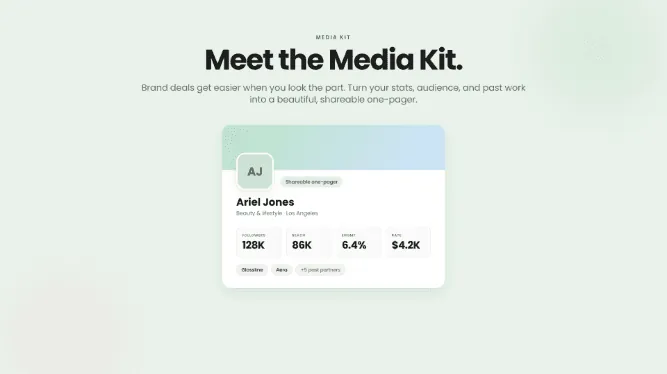
The Beacons Media Kit turns a creator's stats, audience, and past work into a beautiful, shareable one-pager. No more panic-building a PDF before a brand call — update it once, pitch it everywhere. Brand deals get easier when you look the part.
Build your media kitPersonal QR codes: your page, one scan away
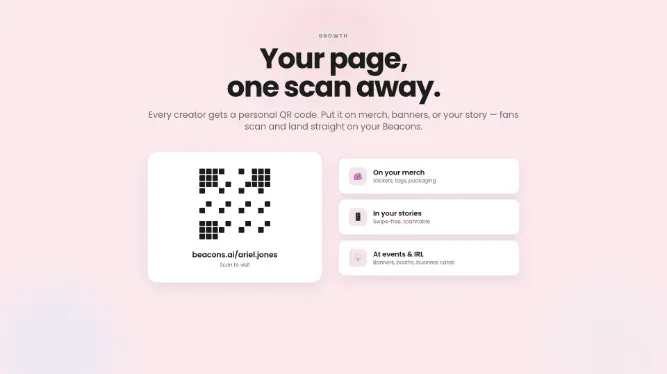
Every Beacons creator now has a personal QR code that sends fans straight to their page. Put it on merch, banners, or your story — growing your audience IRL just became effortless.
Get your codePayPal payouts: get your earnings, fast
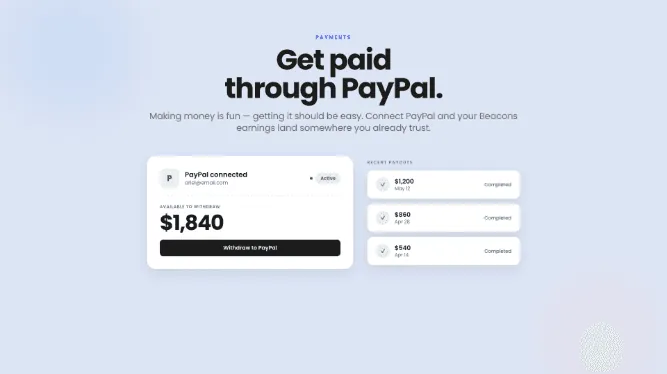
PayPal payouts let you receive your Beacons earnings directly in your PayPal account. Making money is fun — getting it should be easy, and land somewhere you already trust.
Set up payoutsPut your Beacons on your own domain
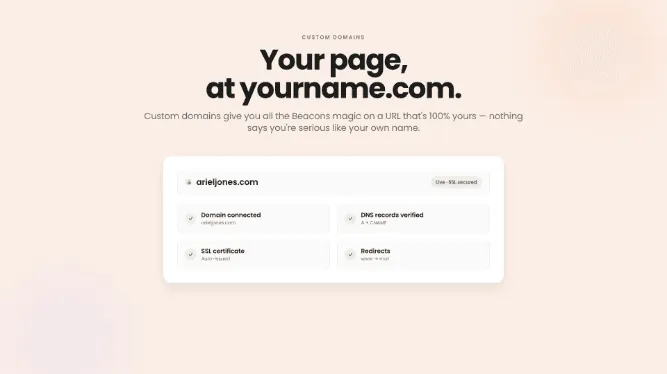
Custom domains let your Beacons page live at yourname.com — all the Beacons magic on a URL that's 100% yours. Nothing says you're serious about your business like your own name on the address.
Claim your domainCustom blocks: build your page block by block, and get paid for it
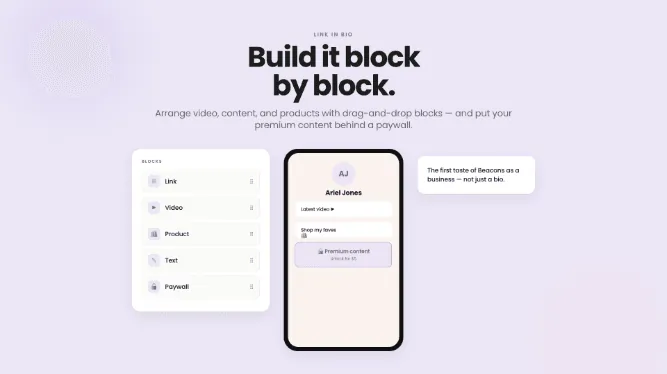
Custom blocks turn your Beacons page into a canvas: arrange video, content, and products exactly how you want with drag-and-drop, and put your premium content behind a paywall. The first taste of Beacons as a business, not just a bio.
Customize your pageLink in Bio: one link for everything you create
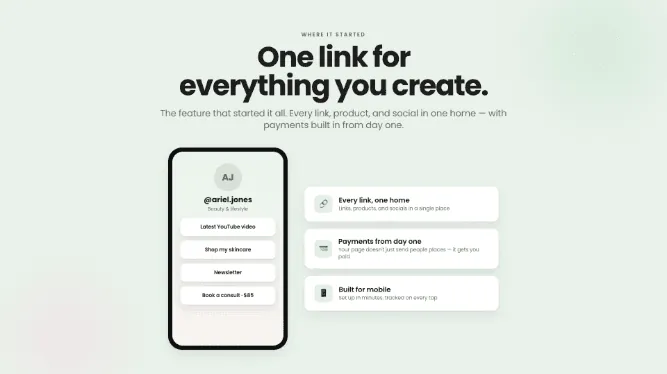
The Beacons Link in Bio gives every link, product, and social a single home — with payments built in from day one, so your page doesn't just send people places, it gets you paid. Set up in minutes, built for mobile, tracked on every tap. The feature that started it all.
Build yours